Tag: attribution

  • How to Handle Browsers That Block Tracking Scripts Without Panic

    Browsers that block tracking scripts aren’t a temporary hurdle; they’re a new baseline. In the last few years, Safari’s ITP, Firefox’s Enhanced Tracking Protection, and Chrome’s privacy protections have hardened the chassis of measurement. The result isn’t a single data gap—it’s a cascade: signals you depended on (cookies, cross-site identifiers, client-side events) disappear or arrive late, attribution windows drift, and dashboards show numbers that don’t align with reality. The real problem your team feels is not “less data” but “data that’s noisy, delayed, or incomplete when you need it most.” This article names that problem clearly and provides a pragmatic path to diagnose, configure, and decide, so you can keep campaigns accountable and decisions credible, even when the browser landscape fights your scripts.

    What you’ll take away is not a magic fix, but a structured approach to resilience: a decision framework that balances consent, server-side reliability, and first‑party data. By the end, you’ll know how to architect measurements that survive browser blocks, what to implement first, and how to validate that your data still maps to real-world revenue, including offline and CRM-driven conversions. The aim is to reduce panic and increase control—so you can defend investment with data that sticks across GA4, GTM Server-Side, Meta CAPI, and your warehouse.

    a bonsai tree growing out of a concrete block

    Consent Mode lets you adjust how your Google tags collect and use data based on the consent status of your users.

    Google Consent Mode documentation

    The reality: what browsers do to tracking signals

    Browsers aren’t just “turning off a script.” They reframe how data is collected, processed, and attributed. The blocking happens at the edge—inside the browser—before your GA4 or Meta CAPI calls even reach their servers. The practical effects:

    – Third-party cookies and cross-site identifiers shrink. In the GA4 ecosystem, this tends to reduce the reliability of cross-session attribution, especially for users who move across devices or platforms after an initial touch.
    – Client-side events get throttled or omitted when consent isn’t granted, or when ad blockers intervene. GTM Web and GA4 tags may fire inconsistently, leading to gaps between impression-level data and conversions.
    – Server-side pathways become more critical, but they introduce new complexity: you must ensure server-side events mirror what users saw in the browser, without duplications or overly optimistic signals.

    Hesitation in response to these changes is natural, but panic is unnecessary if you implement a disciplined framework. It starts with recognizing the limits: you will not eliminate data loss, but you can reduce it, quantify it, and keep it “ballpark-correct” for decision-making. The key is to map data flows end-to-end, identify the choke points created by blocking, and insert reliable anchors—first-party signals, server-side events, and offline conversions—where browser signals fail.

    The Conversions API helps you maintain data accuracy when browser-based tracking is blocked by browsers.

    Meta Conversions API documentation

    Arquitetura resistente: quatro alavancas-chave

    Para não depender apenas de scripts que o navegador pode bloquear, combine quatro alavancas que fortalecem a resiliência da mensuração. A combinação adequada depende do seu stack (GA4, GTM Web, GTM Server-Side, Meta CAPI, BigQuery, Looker Studio) e do seu nível de privacidade exigido pelo negócio. A ideia é ter camadas que se reforçam mutuamente: consentimento explícito, coleta server-side, identidade determinística de primeira parte e validação contínua.

    Consent Mode v2: governando a coleta com base no consentimento

    Consent Mode é a base para manter dados úteis quando o usuário não consente plenamente com cookies de terceiros. Em termos práticos, ele permite que tags do Google adaptem seu comportamento com base no status de consentimento, evitando a coleta de dados indevidos enquanto ainda captura sinais úteis que você pode modelar. Implementá-lo no GA4 e no GTM pode reduzir a perda de dados de conversão, sem violar as preferências do usuário. Use Consent Mode para alinhar a coleta de eventos entre GTM Server-Side e GA4, minimizando divergências entre plataformas.

    GTM Server-Side + Meta CAPI: descolando de rastreamento dependente do navegador

    Server-side tagging é onde a recuperação de dados realmente ocorre quando o navegador bloqueia o script. Com GTM Server-Side, você recebe mais controlo sobre quais dados vão para GA4, para a Meta CAPI e para outras canis de dados. A vantagem óbvia é reduzir a dependência de cookies de terceiros e de redes de anúncios para acionar eventos; a desvantagem é a complexidade operacional: you need a container confiável, monitoring de latência e governança de dados. O objetivo é ter uma verificação de consistência entre eventos recebidos pelo servidor e eventos observados no front-end, com uma estratégia clara para deduplicação e normalização de dados.

    Identidade de primeira parte: padronizar dados determinísticos

    A chave para continuidade de atribuição está em unir identidades por meio de dados determinísticos na primeira parte: e-mails, telefones ou IDs de cliente já presentes no CRM (RD Station, HubSpot, Looker Studio via BigQuery, etc.). Hashing seguro, sincronização entre plataformas e reidentificação de usuários através de essas chaves ajudam a sustain attribution quando o cookie é bloqueado. Fundo de linha: a primeira parte é menos vulnerável a mudanças de navegador, desde que você mantenha padrões consistentes de hashing, consentimento, e privacidade.

    Plano prático em 6 passos (checklist salvável)

    1. Mapeie fluxos de dados e identidades: identifique cada ponto de coleta (GA4 Web, GTM Server-Side, Meta CAPI, CRM, WhatsApp Business API) e onde a identidade do usuário é definida ou permanece determinística (e-mail, celular, cookie ID).
    2. Ative Consent Mode v2 para GA4 e GTM: ajuste as configurações de coleta conforme o status do consentimento, para que as métricas não quebrem a privacidade, e para que você capture sinais úteis mesmo sem consentimento total.
    3. Projete GTM Server-Side com mapeamento claro de dados: crie datalayer-pipelines que mantenham consistência entre eventos browser-side e server-side, deduplicando onde necessário e normalizando nomes de eventos entre GA4 e Meta CAPI.
    4. Conecte Meta CAPI e GA4 com redundância inteligente: use a CAPI como backstop para eventos que não chegam do front-end, mas garanta que não haja duplicação de conversões entre Pixel/GA4 e CAPI.
    5. Integre dados offline e CRM: traga conversões que ocorrem fora do browser (WhatsApp, telefonemas, vendas via CRM) para o modelo de atribuição, assegurando que as janelas de atribuição reflitam o real ciclo de decisão (lead a venda em dias ou semanas).
    6. Implemente validação contínua: configure dashboards em Looker Studio ou BigQuery que mostrem correlação entre GA4, Meta CAPI, e dados offline, com alarmes para quedas abruptas de sinal ou desvios de UTM. Teste end-to-end com workflows reais de usuário (incluindo WhatsApp) para confirmar conectividade e consistência.

    Como decidir entre abordagens: decisões rápidas e sinais de alerta

    Quando esta abordagem faz sentido, quando não faz, e como interpretar sinais de setup quebrado:

    – Decisão 1: usar Server-Side tagging quando a diminuição de signals afeta a confiabilidade de dados entre front-end e back-end, e você tem capacidade para gerenciar infraestrutura. Se a equipe não tem disponibilidade para manutenção de GTM Server-Side, comece com Consent Mode + reforço de first-party data no CRM.
    – Decisão 2: priorizar CAPI + GA4 offline quando seu tráfego depende fortemente de WhatsApp/CRM para conversão final, e você precisa ligar campanhas a receita real, não apenas a cliques.
    – Sinais de que o setup está quebrado: quedas drásticas de conversões reportadas pela janela de atribuição do GA4 sem correspondência no Looker Studio; discrepâncias entre GA4 e Meta para o mesmo evento; gclid ausente após o redirecionamento; discrepâncias entre dados de offline e online; eventos duplicados aparecendo no servidor.
    – Erros que fazem o dado ser inútil: mapeamento incorreto de nomes de eventos entre GA4 e CAPI; falta de deduplicação; latência excessiva na entrega de eventos server-side; dados de identidade desalinhados entre plataformas.
    – Como escolher: avalie o seu pipeline de dados end-to-end. Se a maior barreira é o bloqueio do navegador, comece com Consent Mode + ID determinístico do CRM. Se a latência e a qualidade do dado digital são críticas para clientes com ciclos longos, implemente GTM Server-Side com CAPI e fluxos offline.

    H3> Erros comuns com correções práticas
    – Erro: eventos são enviados apenas no front-end; o servidor não compensa quando bloqueios acontecem. Correção: introduza a CAPI como fallback e valide a correspondência de eventos com deduplicação.
    – Erro: dados de identidade não são padronizados entre GA4 e CRM. Correção: estabeleça um pipeline de hashing de identidades e utilize mapeamento de campos consistente, com validação de hash.
    – Erro: consentimento não atualizado dinamicamente nos eventos. Correção: implemente Consent Mode v2 de ponta a ponta, com banners de consentimento que disparem atualizações de sinalização de coleta.
    – Erro: métricas offline não aparecem no dashboard. Correção: integre offline conversions no data lake e replique-as com as métricas online para uma visão coesa de atribuição.

    H3> Adaptação à realidade do cliente e do projeto
    – Se você atua em uma equipe de agência com clientes com varying tech stacks, crie um conjunto mínimo de regras de implementação para cada cliente: quais tags vão ser configuradas, quais eventos são críticos para conversão final, e qual combinação de canais é priorizada na atribuição.
    – Para projetos com LGPD e CMP restritivas, priorize o consentimento explícito, o mínimo necessário de dados e a observância de políticas de privacidade. Em ambientes com Firehose de dados, a governança de dados deve ser clara: quem pode ver o que, de onde e por quanto tempo.

    The Conversions API works with your server to improve data reliability when the browser-based Pixel is blocked by browsers.

    Meta Conversions API documentation

    Validação, governança e melhoria contínua

    Você não pode depender apenas de uma implementação única. Estabeleça rituais de QA que chequem consistência entre GA4, GTM Server-Side, e Meta CAPI, além de validações com dados offline. Defina metas de qualidade de dados: por exemplo, 90% de cobertura de conversões determinísticas por mês, com variação de menos de 5% entre fontes para eventos-chave. Use BigQuery para cruza de eventos, identidades e timestamps para detectar discrepâncias e atrasos.

    Um roteiro de auditoria pode incluir:
    – Verificação de consistência de nomes de eventos e parâmetros entre front-end e server-side.
    – Confirmação de que consentimento está refletido nas tags e que ETLs não estão inadvertidamente removendo dados críticos.
    – Checagem de deduplicação entre GA4 e Meta CAPI para cada conversão.
    – Validação de dados offline com CRM para leads que fecham após dias ou semanas.
    – Auditoria de UTMs, redirecionamentos e gclids para evitar perdas de atribuição.
    – Monitoramento de latência de eventos server-side e de quedas de envio.

    Caso haja necessidade de uma visão consolidada, Looker Studio ou BigQuery podem ser usados para dashboards de qualidade. A validação de dados não é apenas um relatório; é uma cadeira que sustenta decisões que alimentam o ciclo de compra.

    Conclusão: caminhe com decisão, não com hesitação

    A paisagem de rastreamento está mais exigente e menos previsível do que nunca. Em vez de tentar consertar o que ficou obsoleto, configure uma arquitetura de dados que funciona com o bloco fundamental: consentimento, first-party data, e server-side signals. Aplique Consent Mode v2, fortaleça GTM Server-Side, conecte Meta CAPI como backstop, e alinhe CRM com conversões offline para fechamento de funil. Comece hoje com o passo 1 do plano, valide as integrações e mantenha um ciclo de melhoria contínua. Se quiser um diagnóstico técnico rápido do seu stack atual, o próximo passo é envolver a equipe de rastreamento para mapear fluxos, identidades e gatilhos de consentimento — assim você transforma incerteza em uma base confiável de decisão.

  • How to Choose the Right Attribution Window for WhatsApp Funnels

    WhatsApp funnels introduce a specific timing challenge for attribution. In many BR and LATAM performance setups, the moment a contact taps a WhatsApp conversation is only the first nudge in a longer, multi-touch journey. The typical sale often spans days or even weeks between the initial message and the final purchase, sometimes with offline touchpoints in between. Because attribution windows determine how long a click, impression or interaction can influence a conversion, choosing the right window is not a cosmetic setting—it’s a strategic decision that reshapes which channels, campaigns and creative actually drive revenue. Get this wrong and you either credit the wrong touchpoints or miss the true contribution of WhatsApp as a channel in your funnel. This article maps the problem, lays out practical criteria, and provides a concrete, auditor-friendly path to choosing and validating the right window for WhatsApp-led funnels.

    The core idea is straightforward: align the attribution window with the real tempo of your customer journey and with how you stitch online events to offline outcomes. If your WhatsApp leads close within a handful of days, a short window can yield cleaner, more actionable signals. If deals tend to close after longer consideration or require CRM updates, longer windows prevent early interactions from being unfairly discarded as “last touch” wins. By the end of this piece, you’ll be able to specify a baseline window, justify deviations by business context, and implement a monitoring plan to calibrate over time without double-counting or data leakage.

    Diagnosing the attribution window problem in WhatsApp funnels

    Why WhatsApp-length conversion cycles demand a tailored window

    WhatsApp conversations are often part of a broader sequence: a user clicks an ad, lands on a landing page, perhaps signs up via a form, and then receives a WhatsApp message that nurtures the lead before a sale closes days later. In this pattern, crediting the first click or the last message alone misses the real story. The lookback window—the time horizon during which a touchpoint can contribute to a conversion—controls whether mid-funnel messages, CRM events, and offline handoffs get counted. When the window is too short, you undervalue longer nurture sequences; when it’s too long, you risk diluting current channel performance with stale signals. This mismatch is a frequent source of misalignment between GA4, GTM Server-Side, Meta CAPI, and offline CRM data in WhatsApp-heavy funnels.

    “A small change in the attribution window can move a significant portion of conversions from one campaign to another.”

    In practice, you’ll see that WhatsApp-driven conversions often appear to “arrive” days after the initial touchpoint. If you measure attribution only within a 7-day window, you may miss late-stage WhatsApp nudges that complete the sale, biasing optimization toward campaigns that produce earlier signals. Conversely, extending the window too aggressively can blur the impact of more recent campaigns and inflate non-relevant touchpoints. The real-world consequence: dashboards that show inconsistent year-over-year deltas, and a board room conversation about which campaigns actually move the needle rather than which look good in the last 7 days.

    “If a buyer touches WhatsApp late in the cycle, a longer window ensures the last-touch isn’t the only thing that carries the story.”

    Common misalignments you see in GA4, GTM Server-Side, and Meta

    Two recurring patterns stand out. First, when WhatsApp events are captured post-click but before a sale, the standard last-click model tends to credit the immediate touch rather than the cumulative influence, which can undervalue campaigns that nurture through messages. Second, data gaps—like missing UTM parameters after a WhatsApp click, or offline conversions not wired back into GA4—create blind spots that distort the window’s apparent effect. The result is a false sense of attribution health: you may see GA4 showing a clean funnel while your WhatsApp CRM shows a different revenue signal entirely. In these scenarios, the window choice matters more than any single dashboard tweak.

    Practical criteria for choosing the right window

    Alignment with the actual purchase cycle

    The first criterion is concrete: what is the days-to-purchase distribution for WhatsApp leads in your business? If most closes happen within 7–14 days after the initial WhatsApp contact, a 14–30 day window tends to capture the majority of the contribution without pulling in excessive, unrelated activity. If your average cycle spans 30–60 days due to high consideration or complex product configurations, a longer window may be warranted. The key is to quantify: what percentage of conversions occur after 7 days? 14 days? 30 days? Use your CRM data to map this pattern and set a baseline window that covers the majority of cases without stretching into noise.

    Incorporation of offline conversions and CRM data

    WhatsApp funnels almost always involve offline steps—a handoff to a sales rep, a phone call, or a CRM update—that aren’t captured by a single digital signal. A window that neglects offline contributions will systematically misattribute revenue away from the channels that initiate or nurture the journey. Ensure your setup links CRM events (opportunites, stage changes, deals created) back to the digital touchpoints in GA4 and GTM Server-Side. This may mean using offline conversion events, data imports, and a stable mapping between WhatsApp interactions and CRM records. In practice, you’ll want to evaluate how well your offline data synchronizes within your lookback window and adjust the window so that the offline handoffs aren’t truncated by an overly aggressive digital window.

    Impact of consent, privacy controls, and data freshness

    Consent Mode v2, LGPD compliance, and privacy-preserving settings can influence data visibility for WhatsApp funnels. Short windows can amplify data gaps if consent toggles prevent certain events from firing or if retargeting signals are suppressed. Long windows, while more forgiving to data gaps, risk including stale interactions. The right window balances the need for timely, actionable data with the realities of privacy controls and data propagation delays across GA4, GTM Server-Side, and Meta CAPI. Don’t treat window selection as a pure technical choice; treat it as a governance decision tied to your CMP configuration, data retention policies, and the latency tolerance of your reporting stack.

    Roteiro de implementação: passo a passo para definir a janela de atribuição

    1. Mapeie o tempo típico de fechamento de negócios para leads gerados via WhatsApp. Se a maior parte das conversões acontece entre 7 e 21 dias após o primeiro contato, considere uma janela inicial nessa faixa.
    2. Defina uma faixa de janelas para testar (por exemplo, 7, 14 e 30 dias) e escolha um modelo de atribuição que faça sentido para seu negócio (por exemplo, last non-direct click ou data-driven, quando disponível).
    3. Configure a janela de atribuição no seu stack de rastreamento: GA4 para conversões, GTM Server-Side para eventos de WhatsApp, e a integração com Meta CAPI para assegurar que as conversões offline sejam consideradas dentro da janela escolhida.
    4. Implemente unidades de mensuração consistentes em todas as fontes: utilize UTMs padronizados (utmsrc, utmmedium, utmcampaign) para campanhas de WhatsApp, evite variações que criem duplicidade de créditos entre canais.
    5. Conecte dados offline ao seu repositório central (BigQuery, Looker Studio) para comparar sinais digitais com conversões reais registradas no CRM. Documente como cada venda aparece no conjunto de dados com referência temporal à primeira interação e aos eventos CRM.
    6. Execute um período de validação de 2 a 4 semanas para observar como o window escolhido converte em diferentes cenários (lotes de leads, campanhas sazonais, ciclos longos). Ajuste a janela com base nas evidências: se as conversões tardias continuam surgindo além do window, expanda; se o sinal está se tornando ruidoso, reduza para evitar atribuição a tráfego antigo.

    Durante a implementação, mantenha uma abordagem de auditoria: registre decisões, datas de alteração de janela, justificação baseada em dados, e o impacto observado nos relatórios. A visão de longo prazo é ter um conjunto estável de janelas que você possa replicar em dashboards, relatórios de clientes e apresentações para stakeholders.

    Como validar e calibrar a janela ao longo do tempo

    O diagnóstico não termina na primeira implementação. A cada ciclo de faturamento ou campanha importante, revalide a janela escolhida com uma análise cruzada entre GA4, Meta, e o CRM. Se você perceber divergências recorrentes entre o que o código de conversão registra e o que o CRM reconhece como pipeline fechado, ajuste a janela ou reprove o modelo de atribuição para aquele conjunto específico de campanhas. A consistência entre dados digitais e offline é essencial para que a janela de atribuição realmente reflita o impacto de WhatsApp no resultado final.

    Erros comuns e correções práticas

    Erro: subestimar o impacto de visitas que começam com WhatsApp, mas convertem horas depois

    Correção prática: estenda a janela para cobrir o atraso típico entre o clique inicial e o fechamento do negócio. Em muitos cenários de WhatsApp, o tempo entre o primeiro toque e a venda pode exceder 14 dias. Faça uma validação cruzada com dados de CRM para verificar se há contribuições que não aparecem nos dashboards com a janela original.

    Erro: divergência entre dados online e offline

    Correção prática: implemente uma robusta ponte entre eventos digitais e registros no CRM. Garanta que as datas dos eventos digitais e das oportunidades tenham um mapeamento temporal claro e que o sistema de importação de dados reconheça a contribuição de cada touchpoint dentro da janela selecionada. Sem essa ponte, a janela de atribuição apenas distorce a verdade operativa.

    Erro: janelas muito curtas em campanhas com alto custo por lead

    Correção prática: ajuste o lookback para capturar fases de consideração maiores e reduza o peso de sinais iniciais conservando a volatilidade de leads caros. Use dashboards que apresentem um “dual window” para comparação: uma visão curta para decisões rápidas e uma visão estendida para entender o efeito de meio e longo prazo.

    Resumo prático para adaptar a janela ao seu projeto

    Cada projeto tem um ritmo distinto. Se o seu funil de WhatsApp fecha rapidamente, comece com uma janela de 14 dias como baseline e valide com dados de CRM em 2 semanas. Se o ciclo é mais estruturado, com várias etapas de qualificação, inicie com 30 dias e monitore a estabilidade por pelo menos um mês. Em ambientes com alta dependência de CRM e assistentes de venda, considere janelas ainda mais longas, sempre acompanhado de uma validação cruzada entre fontes. O objetivo é ter uma configuração de janela que reflita o tempo real do seu pipeline sem inflar ou subestimar a contribuição de cada touchpoint.

    O segredo não está em escolher a janela “perfeita” na primeira tentativa, mas em ter um processo claro para calibrar com dados reais, documentar as mudanças e manter as análises atualizadas. A atribuição de WhatsApp não é apenas uma configuração; é um compromisso com a integridade dos dados, com a responsabilidade de fornecer números que realmente representem o impacto das suas campanhas e com a disciplina de acompanhar a evolução do funil ao longo do tempo.

    Para avançar de forma prática, comece definindo sua janela inicial com base no seu ciclo de compra típico, implemente a ponte entre online e offline, e lance uma auditoria de 2 a 4 semanas para calibrar. Esse é o caminho para uma atribuição mais confiável em funis de WhatsApp, sem ilusões nem ruídos excessivos.

    Se quiser avançar com uma revisão técnica da sua configuração de janela de atribuição, posso orientar você passo a passo para alinhar GA4, GTM Server-Side, e a integração com o CRM, assegurando que os dados realmente reflitam o caminho de compra do seu público. O próximo passo concreto é definir a janela de atribuição inicial com base no tempo médio de fechamento do seu pipeline de WhatsApp e iniciar a auditoria de validação nos próximos 14 dias.

  • How to Recover Lead Origin Data When Your CRM Fields Are a Mess

    Lead origin data is the backbone of your attribution, and when your CRM fields are a mess, the entire funnel collapses into guesswork. You may see mismatched source names, lost UTM details, gclid values that vanish at the last mile, or leads that arrive with no clear lineage to a campaign. The result isn’t just “bad data” — it’s blind spots in revenue forecasting, misallocated budget, and a story that your stakeholders can’t trust. The problem tends to cluster around inconsistent field schemas, gaps in data capture across channels, and weak integration between forms, CRM, and analytics pipelines.

    This article outlines a concrete, action-oriented plan to recover lead origin data even when CRM fields are chaotic. You’ll learn to diagnose the real causes, define a canonical origin schema, implement reliable data pipelines, and establish an audit routine that keeps the data honest over time. The goal isn’t theoretical perfection; it’s a repeatable set of steps you can apply to GA4, GTM Server-Side, and your CRM (HubSpot, RD Station, or others) so that a lead’s origin survives handoffs and downstream processing.

    Woman working on a laptop with spreadsheet data.

    Diagnostic: where origin data goes wrong when CRM fields are a mess

    Root causes: schema drift, fragmented capture, and inconsistent naming

    CRM schemas often drift as teams redesign fields, merge pools of data from different teams, or onboard new lead sources. A field called “Source” might map to “utm_source” in some flows and “lead_source” in others, creating a mismatch that prevents reliable joins with GA4 or BigQuery. When forms feed directly into the CRM, missing or unpopulated fields are common because validation rules aren’t enforced across channels. The absence of a single source of truth for origin data cascades into every downstream report and dashboard.

    Impact: misattribution, duplicates, and blind spots in revenue analysis

    When origin data isn’t consistently captured, you’ll see GA4 and Meta Ads Manager reporting divergent numbers for the same lead, and your lookups in Looker Studio or BigQuery won’t reconcile. Leads may lump into a generic “Unknown” source, or a single campaign’s impact gets split across multiple inconsistent tag values. The business consequence is clear: wasted spend, delayed optimization cycles, and credibility gaps with clients or executives who demand data that holds up under scrutiny.

    “Data quality is the indispensable foundation for attribution. Without a canonical origin, every dashboard is a mirror that reflects your labeling chaos.”

    “If you don’t fix the capture and mapping first, even perfect pipelines won’t rescue your insights.”

    Normalize and recover: building a canonical lead origin model

    Canonical fields and naming conventions

    Start with a minimal, stable schema that all sources agree to feed. At a minimum, you should have: origin_source, origin_medium, origin_campaign, origin_utm_term, origin_utm_content, canonical_lead_id, and a timestamp. If you also need to capture offline influence (phone calls, WhatsApp, retail visits), add origin_offline_id and origin_offline_ts. The objective is to have a single, stable set of fields that you map every incoming lead to, regardless of where it originated.

    Mapping rules and data normalization

    Create explicit rules that translate each channel’s tags into the canonical schema. For example, form fields from HubSpot might populate origin_source as “HubSpot,” while a Facebook lead form populates origin_source as “Meta Ads.” Normalize campaign IDs to a common format (e.g., UTM_campaign values standardized to lowercase, hyphen-delimited). Implement normalization not just at ingest, but as a regularizable routine in your data warehouse or ETL, so historical data aligns with current definitions.

    Preserving audit trails: original source and timestamp

    Store the raw, source-specific fields alongside the canonical values. This dual footprint lets you audit, troubleshoot, and explain discrepancies. If a lead’s origin changes as a result of data cleaning or enrichment, you should keep an immutable trail showing the original values and the applied normalization. This is crucial when you need to justify attribution decisions to clients or to internal stakeholders.

    “A solid canonical model reduces the blast radius of field messiness. It makes reconciliation predictable, not miraculous.”

    Technical options and data pipelines: where to invest for reliability

    Client-side vs server-side capture: tradeoffs you will actually feel

    Client-side capture (GTM Web) is fast to deploy but prone to data loss when users block cookies, disable JS, or navigate quickly. Server-side (GTM Server-Side or a dedicated measurement endpoint) tends to preserve identifiers like gclid and UTM parameters more reliably, especially in mobile deep-link flows and WhatsApp funnels where the user path is long and split across apps. If your CRM integrates offline data, a server-side path becomes even more valuable because you reduce the risk of losing origin during redirects or cross-domain hops. However, moving to server-side requires careful configuration and testing to avoid latency or privacy pitfalls.

    Data warehouses, reconciliation, and the role of BigQuery

    In a multi-source environment, a data warehouse acts as the arbiter of truth. Ingest your canonicalized events into BigQuery, join them with GA4 exports, CRM exports, and offline conversions, and build a reconciliation table showing origin_source, origin_campaign, and lead status across nodes. This centralization makes it easier to spot mismatches, track variance over time, and generate auditable dashboards in Looker Studio or equivalent BI tools. Remember: the value isn’t just the data, but the repeatable process to keep it aligned as sources evolve.

    Offline conversions, CRM and data privacy: what you must respect

    When you’re stitching online and offline data, be explicit about privacy and consent. Consent Mode v2 and CMPs affect your data availability; you may not rely on certain identifiers in all contexts. In practice, this means designing your origin reconciliation with graceful fallbacks (e.g., using hashed email or phone—where permitted) and clear governance on data retention. The objective is reliable signals without overstepping compliance boundaries, particularly for WhatsApp and phone-based conversations that often become last-mile touchpoints.

    Actionable plan: a 6-step recovery checklist to salvage lead origin data

    1. Audit all origin data sources: inventory every data inlet (web forms, landing pages, CRM fields like lead_source and campaign_id, UTM and GCLID capture points, offline forms, and WhatsApp bridges). Note where data is missing or inconsistent and identify patterns by channel.
    2. Define a canonical origin schema: commit to a minimal, stable set of fields (origin_source, origin_medium, origin_campaign, origin_utm_term, origin_utm_content, canonical_lead_id, origin_ts) and a small set of offline fields if applicable.
    3. Build a mapping table and normalization rules: create cross-source mappings (e.g., Facebook/Meta, Google Ads, organic search) to canonical values. Normalize case, separators, and campaign IDs; preserve raw source data for audits.
    4. Enforce field population at point of intake: implement front-end guards, server-side validators, and API schemas to ensure canonical fields are populated consistently, even when data from the originating system is weak.
    5. Implement a robust data pipeline: route all origin data through a server-side or hybrid pipeline to a data warehouse (BigQuery) with a reconciliation layer that compares GA4 exports, CRM data, and offline touches, flagging discrepancies for follow-up.
    6. Monitor and iterate: establish dashboards to track coverage, variance between sources, and data quality alerts. Schedule regular audits and document fixes, so the process scales with new campaigns and client requirements.

    Decision framework: when this approach makes sense and when it does not

    When this approach makes sense

    When you run multi-channel campaigns with diverse data flows (GA4, GTM-SS, Meta CAPI, offline CRM uploads) and you notice recurring misattribution or missing origin data, a canonical, auditable origin model is essential. If you manage clients with cross-channel spends or long sales cycles (e.g., WhatsApp to CRM closure), server-side capture combined with a data warehouse reconciliation provides the resilience needed to preserve lineage across handoffs.

    Sinais de que o setup está quebrado

    Frequent “Unknown” origin values, large gaps in campaign fields after data refreshes, or diverging source attributions between GA4 and CRM indicate a broken lineage. If gclid or utm parameters disappear after redirects or during cross-domain hops, you likely need to tighten server-side capture and enforce canonical field population earlier in the path.

    Erros comuns e correções práticas

    Common errors include inconsistent field names across forms, missing canonical fields on form submissions, and neglecting to store raw origin values for audits. Corrective actions include formalizing a single origin schema, enforcing mapping rules at ingestion, and implementing a reconciliation routine that runs on a schedule with automatic alerts when variance spikes.

    <h2 Adaptando a prática à realidade de agência e cliente

    Como adaptar ao contexto do projeto

    Para agências, padronize o conjunto mínimo de campos de origem para todos os clientes e implemente guias de integração para novos clientes. Garanta que cada cliente tenha uma cadência de auditoria de dados, com um slot fixo para validação de origem antes de fechar o ciclo de relatório mensal. Em fluxos com WhatsApp ou chamadas, planeje como capturar e atribuir a origem sem violar consentimento ou quebrar o fluxo de conversão.

    Entregas para cliente: transparência e governança

    Ofereça um relatório de governança de origem que mostre, a cada mês, a cobertura de origem, as mudanças de mapeamento e as discrepâncias resolvidas. Disponibilize um quadro de controle de qualidade com status de cada feed de dados (online, offline, CRM) para facilitar revisões com o cliente e para auditorias externas.

    Para quem lida com LGPD e Consent Mode, recomende sempre práticas que minimizam dependência de identificadores sensíveis, mantendo a precisão das atribuições com consentimento explícito. Referências oficiais sobre coleta de dados e privacidade podem ajudar a fundamentar as decisões técnicas quando o assunto chega a clientes com requisitos regulatórios específicos. Docs oficiais do GA4 sobre privacidade e Consent Mode e Guia de parâmetros UTM e GCLID.

    Se a solução exigir, consulte um especialista para validar a correção de fluxos de dados, a compatibilidade com seu CRM e a configuração de GTM Server-Side. Ferramentas como GTM Server-Side e BigQuery demandam planejamento de arquitetura, segurança de dados e testes de ponta a ponta que vão além de ajustes pontuais.

    Ao término da leitura, você terá uma abordagem prática para reconstruir a origem dos leads, um modelo canônico que evita o colapso de dados com o tempo e um conjunto de passos acionáveis para implementar de imediato. O próximo passo é começar pelo diagnóstico de origem atual, alinhar campos com o time de produto/CRM e estabelecer o pipeline de ingestão que sustenta a nova estrutura de dados de origem.

    Para referência adicional sobre governança de dados e boas práticas de atribuição, vale consultar fontes reconhecidas do ecossistema: a documentação oficial do GA4 e materiais de Think with Google sobre mensuração e dados de atribuição, que ajudam a consolidar a base técnica da implementação. Além disso, se desejar ampliar a visão, pense em integrar o pipeline com BigQuery para consultas ad hoc e com Looker Studio para dashboards de monitoramento de origem.

  • How to Measure Lead Origin From Influencer Campaigns Accurately

    Lead origin from influencer campaigns is not a nice-to-have metric; it’s the difference between knowing which creator actually moves the needle and delivering results that cannot be scrutinized. In practice, the origin of a captured lead tends to drift across devices, channels, and CRM handoffs. UTMs get stripped, referral data is lost in the redirection, and WhatsApp or phone conversations often arrive in the funnel missing the original source. The consequence is a misalignment that compounds: a single lead appears to come from one influencer in GA4, another in Meta, and a CRM record that tells a different story altogether. This article digs into how to measure lead origin from influencer campaigns accurately, with a concrete plan you can implement without overhauling your stack.

    The goal here is practical, not theoretical. You’ll find a concrete framework to diagnose where attribution is failing, a proven setup to unify data across GA4, GTM Server-Side, and Meta CAPI, and a governance pattern that keeps offline and CRM conversions aligned with online events. By the end, you should be able to define a canonical origin model, implement targeted instrumentation, and perform a validation pass that yields a trustworthy view of which influencer moves leads, not just which ad clicked last.

    Why lead origin from influencer campaigns is fragile in practice

    Tagging gaps across creators and networks

    Influencers rarely tag campaigns the same way. Some share affiliate links, others rely on custom short URLs, and many simply promote codes or DMs without adding a traceable origin parameter. When a lead is captured in your CRM via WhatsApp or a web form, the originating source can be lost if the capture happens off your site or after the user leaves the first touchpoint. The result is a split in attribution: GA4 might attribute to the last click on a shared link, while Meta Attribution reports different signals because it sees a different path with a different last-touch. The practical impact is a misrepresented influencer ROI and a misleading funnel picture.

    Origin data that never makes it into your data layer is a silent drift—the first touch matters more than your last-click intuition.

    Multi-channel journeys and off-platform handoffs

    Leads from influencer campaigns often originate off your site: WhatsApp conversations, phone calls, or CRM-led handoffs. If you cannot capture the first touch and translate it into a consistent origin field that flows into GA4, BigQuery, and your CRM, you’re stuck with disparate signals. Even with robust tagging on the website, downstream events (offline conversations, appointment bookings, or CRM entries) drift away from the online attribution window. That drift creates a gap between what marketing spent and what the CRM confirms as revenue-fueling leads.

    Platform-specific attribution gaps (GA4 vs. Meta)

    GA4 and Meta’s reporting can disagree, especially in influencer contexts where the user journey spans multiple sessions and devices. GA4’s attribution model, a lookback window, and event-based data flow can diverge from Meta’s model and Datastream. When you don’t harmonize these views with a single origin taxonomy (influencer_id, campaign_code, utm_source, etc.), you end up with competing numbers and a lack of confidence in which influencer actually drives lead quality. The practical takeaway: you need a unified origin schema and a bridge that reconciles signals across platforms, not separate islands of data.

    Different platforms tell different parts of the story; a single source of truth requires a deliberate data bridge and a shared origin language.

    A framework to measure lead origin accurately across influencer partnerships

    Define a canonical lead-origin schema (influencer_id, campaign_code, utm_source) and enforce it everywhere

    Start with a formal data model. Each influencer campaign should map to a unique influencer_id and campaign_code, and every touchpoint must carry a canonical set of origin parameters (UTM_source, UTM_medium, UTM_campaign, influencer_id, and a cross-reference tag like origin_platform). Enforce this at stimulus: the moment the user lands on any property, the origin parameters must be present in the data layer and consistently propagated to GA4 events, the GTM Server-Side container, and Meta CAPI payloads. This isn’t “nice to have”; it’s the minimum viable discipline to avoid drift as users traverse multiple devices and channels. For example, if an influencer shares a link that begins with utm_source=influencerX, utm_campaign=spring_launch, and an internal origin tag influencer_id=IX123, that context must be preserved through every step of the journey, including offline conversions that land in your CRM.

    Capture origin in both first-touch and last-touch models and unify in a single data layer

    Don’t rely on a single attribution moment. Implement a data layer that stores the earliest touch (first_seen_origin) and the most recent touch (last_seen_origin) for each lead. This dual-tracking enables you to diagnose drift: if GA4 shows a first_touch_origin of influencer A while Meta shows last_touch_origin of influencer B, you have a data-trace problem rather than a misinterpretation. Use GTM Server-Side to forward origin data to GA4, CAPI, and your warehouse (BigQuery) with a standardized payload. This approach reduces the risk that a later touch overwrites the original signal and gives you a resilient baseline for both online and offline conversions.

    Bridge offline events (WhatsApp, calls, CRM) with online origin data

    Influencer journeys aren’t complete at form submission. A lead may convert days later via WhatsApp or a phone call; without an explicit origin mapping, that conversion rides into the CRM without a traceable influencer signal. Implement an offline-to-online bridge: a structured data import that includes the canonical origin fields (influencer_id, campaign_code, utm_source, last_seen_origin) and links each CRM record to the corresponding online lead. When you upload conversions to GA4 (via Measurement Protocol or events) or to BigQuery, preserve the origin taxonomy so your offline conversions align with online signals. This is where a server-side architecture and a consent-aware data layer really shine.

    Practical implementation: validation, governance, and decision points

    Roteiro de auditoria (checklist de validação salva-vidas)

    1. Mapeie todos os caminhos de contato dos influenciadores: links, códigos, UTM schemes, e quaisquer códigos de cupom. Garanta que cada criador tenha um influencer_id único.
    2. Padronize a taxonomy de origem: crie um conjunto único de valores para utm_source, utm_campaign, e influencer_id, assegurando consistência entre GA4, Meta, e CRM.
    3. Implemente uma camada de dados unificada (data layer) que carrega gera eventos com origin fields em toda página, incluindo páginas de checkout, landing pages, e fluxos de WhatsApp.
    4. Configure GTM Server-Side para capturar origem no appends do evento e encaminhar para GA4, Meta CAPI, e o data lake/BigQuery com payloads padronizados.
    5. Habilite a captura de offline: integre conversões de WhatsApp/CRM com os mesmos campos de origem para manter o alinhamento entre online e offline.
    6. Crie validações automáticas: checks de drift entre first_seen_origin e last_seen_origin, consistência de UTM, e correspondência entre eventos de lead no GA4 e no CRM.
    7. Defina janelas de atribuição coerentes com seu funil (por exemplo, 7, 14 e 30 dias) e documente como cada plataforma trata a janela de atribuição.
    8. Implemente alertas de inconsistência: notificações quando divergence entre plataformas excederem um limiar aceitável (por exemplo, 15–20%).
    9. Faça um piloto com 1–2 influenciadores antes de escalar, validando que o fluxo de dados se mantém estável por 2–3 semanas.
    10. Documente o fluxo de dados: quem é responsável por armazenar, transformar e validar os dados, e como cada time usa o relatório de origem para tomada de decisão.

    Essa abordagem não é teoria: é a prática de manter dados coerentes entre GA4, GTM Server-Side, Meta CAPI e o CRM. Para referência técnica, é comum que equipes usem GA4 como corpo principal de eventos, com a CAPI recebendo as conversões offline e o GTM Server-Side atuando como hub de fusão entre origem online e offline. A consistência de origem facilita a auditoria de campanhas, reduz o ruído de atribuição e dá aos clientes uma visão crível do que cada influencer entrega em termos de leads qualificados.

    Quando vale a pena usar cada arquitetura (client-side vs server-side)

    Client-side tracking continua útil para capturar cliques, visualizações e comportamentos imediatos na web, mas é vulnerável a bloqueadores, mudanças de navegador e interrupções de privacidade. Server-side tagging oferece maior controle de what data é enviado (incluindo parâmetros de origem) e reduz perdas por bloqueadores ou filtros do navegador. Para campanhas com influenciadores, a combinação é comum: eventos de origem capturados no cliente quando possível, com um hub server-side que garante a integridade de dados ao longo de toda a jornada, incluindo offline e CRM. Em termos de atribuição, o que funciona melhor é um modelo que combine primeiro toque e último toque com uma verificação de consistência entre plataformas, em vez de escolher uma única lente de atribuição.

    Erros comuns com correções práticas

    Erros comuns com correções rápidas

    Dica prática: implemente validações de strings de origem para evitar valores vazios, normalize o conjunto de UTM para influenciadores diferentes, e crie regras de deduplicação no BigQuery para evitar leads repetidos advindos de várias telas do mesmo contato.

    Como adaptar a abordagem à realidade do seu projeto

    Contexto da agência e padronização de contas

    Se você atende clientes com várias contas (diferentes agências, plataformas, ou ecossistemas de CRM), estabeleça um contrato de dados com padronização obrigatória de origem. Um modelo de governança que define quem é responsável por cada etapa (tagging, ingestão, validação, auditoria) evita retrabalho e drift entre clientes. A recomendação é criar um conjunto de políticas de tagging, templates de UTMs, e um guia rápido de troubleshooting para as equipes de clientes e criadores.

    Processo de onboarding de novos influenciadores

    Crie um playbook simples: cada novo influencer recebe um código de campanha, parâmetros UTM padronizados, e o influencer_id correspondente. Automatize a entrega desses dados para o data layer assim que a campanha for aprovada. Isso reduz erros humanos e acelera o escalonamento sem perder rastreabilidade.

    Privacidade, LGPD e Consent Mode v2

    Não minimize o papel da privacidade. Consent Mode v2 pode impactar quais dados são enviados, quando e como. Mantenha um registro claro de consentimentos e adapte a coleta de dados de acordo com o tipo de negócio e o CMP utilizado. A ideia é manter a capacidade de atribuição sem violar as regras de privacidade do usuário.

    Ferramentas e referências técnicas úteis

    Para manter a implementação alinhada com o que é considerado prática comum no mercado, as integrações entre GA4, GTM Server-Side e Meta CAPI são centrais. Use o GA4 como o eixo de dados, com o GTM Server-Side agindo como o espaço de validação e passagem de dados, e o Meta CAPI para atribuição entre plataformas quando necessário. Além disso, considerar o uso de BigQuery para unificação de dados facilita a harmonização entre online e offline e permite análises avançadas com Looker Studio.

    Para entender melhor as diretrizes oficiais envolvendo essas plataformas, recomendo consultar fontes oficiais como a documentação do GA4 e as diretrizes daConversions API da Meta. Documentação GA4 e Conversions API do Meta descrevem como eventos devem ser estruturados, quais parâmetros podem (ou devem) ser enviados e como manter compatibilidade com consentimento do usuário.

    Observação: a implementação real depende do contexto do site, da plataforma de CMS, da presença de WhatsApp Business API e da infraestrutura de CRM. Em muitos casos, surgem nuances por causa de SPA (Single Page Applications), fluxos de WhatsApp, e integrações com ferramentas como Looker Studio ou RD Station. A curva de implementação de BigQuery e de data pipelines também pode exigir tempo e competência de engenharia, especialmente quando se trata de harmonizar dados de offline com dados online.

    Consolidação final: o que você leva daqui

    A verdade é que medir lead origin from influencer campaigns com precisão exige disciplina de tagging, uma arquitetura de dados que não permita perder o rastro entre o clique e a conversão, e uma governança que una online e offline sem exigir réplicas de dados. A sugestão prática é começar com um schema canônico, consolidar a origem em um data layer compartilhado, e introduzir um hub server-side para unificação entre GA4, Meta CAPI e o CRM. O objetivo não é ter mais dados, mas ter dados confiáveis o suficiente para justificar decisões de investimento com base em uma origem clara de leads.

    Se este diagnóstico soar próximo da sua realidade, faça um piloto com 1–2 campanhas de influência para validar o fluxo de dados por 2 a 3 semanas antes de escalar. E se quiser continuar avançando com uma avaliação técnica mais profunda, coordene com a equipe de TI para um diagnóstico de arquitetura, de forma que o próximo passo possa ser delegado hoje mesmo.

    Próximo passo: combine sua equipe de dados e desenvolvimento para revisar o esquema de origem, testá-lo com um conjunto de influenciadores selecionados e iniciar a configuração de GTM Server-Side com um fluxo de validação semanal. Se tiver dúvidas, podemos mapear juntos o fluxo de dados atual, identificar pontos de falha e propor ajustes com base em seus canais, plataformas e CRM específicos.

  • How to Measure Time From First WhatsApp Message to Appointment

    Measuring the time from the first WhatsApp message to an appointment is more than a KPI exercise; it’s a needed bridge between chat-based conversations and real revenue. In many organizations, WhatsApp is the primary channel for initial contact, but attribution often stalls at the moment the message appears in a CRM or calendar tool. The result: time-to-appointment is hidden in silos, and every optimization decision rests on an incomplete signal. The goal of this piece is to give you a concrete, platform-aware approach to quantify that journey end-to-end, with a data model that actually supports decisions in real-world tech stacks like GA4, GTM Server-Side, Meta CAPI, and BigQuery. You’ll learn how to align timestamps, tie messages to bookings, and produce measurements that survive audits and client reviews.

    What you’ll finish with is a practical blueprint you can adapt today: a clear data model, a defensible definition of the moment that starts the clock, a repeatable data flow, and a set of validation checks that catch drift before it compounds. The thesis is straightforward: when you measure the time from the first WhatsApp interaction to appointment with disciplined identity stitching, timestamp discipline, and cross-platform joins, you gain actionable insight into your funnel performance, not just noise. This isn’t marketing theory; it’s a diagnostics-and-implementation plan designed for teams with limited time and budget but high demands for credible data.

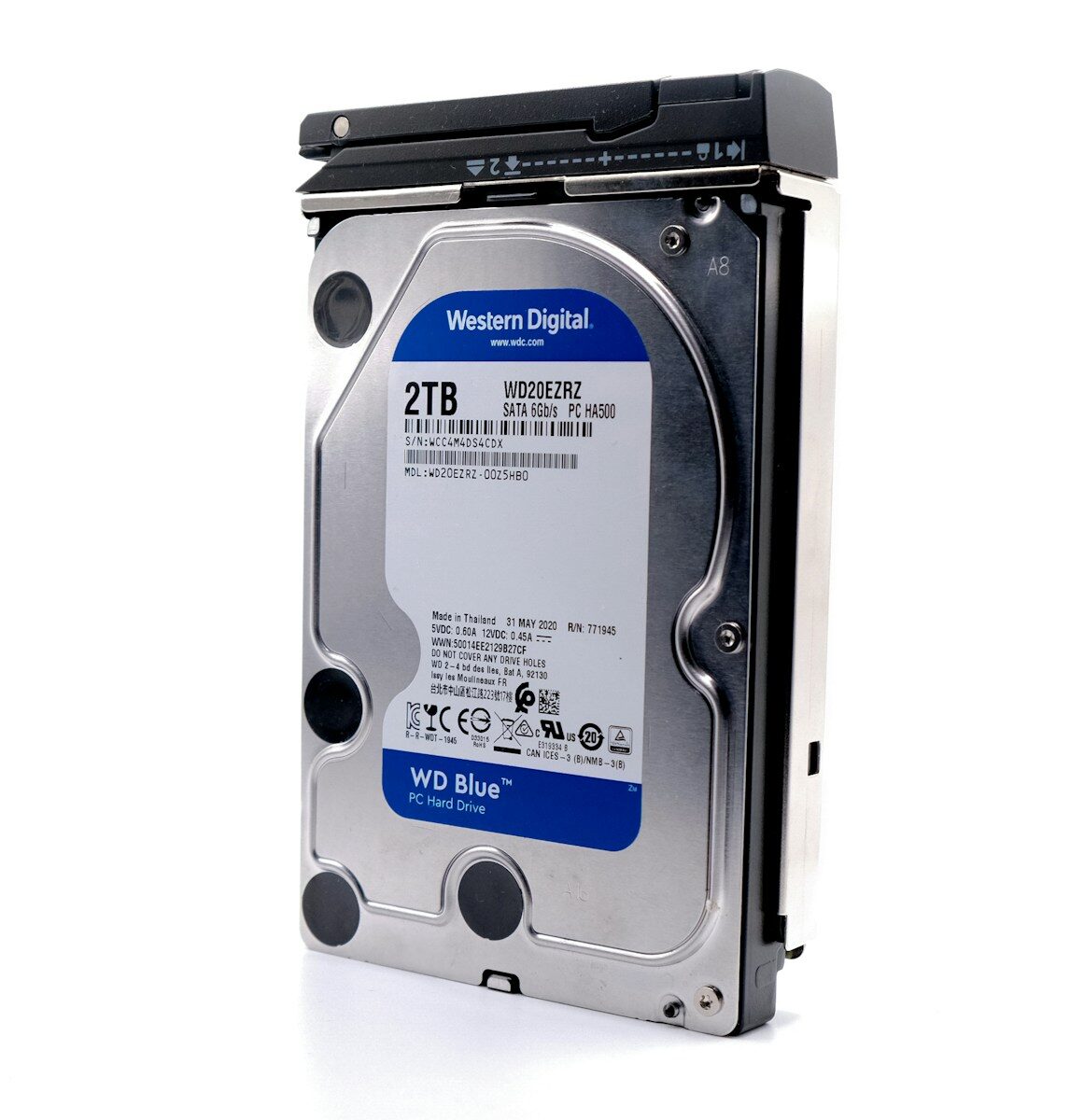
    a hard drive is shown on a white surface

    The Core Challenge: Time-to-Appointment is a Moving Target

    The mismatch problem: WhatsApp interactions vs. CRM/booking events

    WhatsApp messages happen in a real-time conversation, while an appointment is typically created later in a CRM or booking system. The timestamps you care about are not always in the same system, and the signal that should anchor the journey can get lost in translation. GA4 events, CRM activity logs, and booking calendars often use different clocks, time zones, or data retention rules. If you rely on a single source of truth (e.g., the CRM) without validating the matching keys to WhatsApp events, you’ll misalign where the clock starts and where it ends.

    Why “first message” timing is central—and why it’s fragile

    Conversations rarely convert in a linear, one-click path. The first WhatsApp message often initiates a path that includes multiple responses, handoffs, and offline interactions before an appointment is booked. Using the timestamp of the first message as the anchor is essential for consistent attribution, but only if you tie that moment to a persistent identity and to the eventual appointment timestamp. Misalignment—like a missing phone number linkage, a delayed event push, or a time-zone mismatch—warps the measured interval and distorts channel contribution.

    Naive approaches that fail in real-world WhatsApp journeys

    Relying on in-page analytics, standard GA4 session timestamps, or last-click models to infer time-to-appointment misses the cross-channel nature of WhatsApp journeys. Without a server-side data conduit, you’ll struggle to stitch message timestamps to CRM records, and you’ll see gaps when messages occur off the primary domain, through custom WhatsApp flows, or across devices. The end result is a biased view of time-to-conversion, with misleading optimization signals for ad spend and creative decisions.

    Blueprint for Measurement: Data Model and Flows

    Define a shared identity and time standard across platforms

    The first step is to establish a common key that persists across WhatsApp, your website, your CRM, and your booking tool. Phone numbers are a natural anchor for WhatsApp journeys, but you must normalize them (E.164 format) and map them to the CRM customer_id or lead_id. Time stamps should be standardized to UTC with explicit timezone handling in your data warehouse or data lake. This alignment is non-negotiable: without a shared identity and a uniform clock, you’ll chase drift rather than measure it.

    Capture and standardize timestamps: first WhatsApp interaction and appointment

    Capture the exact moment the first message arrives via the WhatsApp Business API webhook (or your preferred WhatsApp integration). Store this as first_whatsapp_message_ts. For the appointment, pull the timestamp from the booking system or CRM when the appointment is created or confirmed, stored as appointment_ts. Ensure both timestamps are in the same granularity (ideally to the second) and in UTC. If you’re sending data through multiple layers (webhook, middleware, CRM), enforce a canonical timestamp format at the point of ingestion to avoid downstream drift.

    9-step implementation plan

    1. Catalog data sources: WhatsApp interactions, website/landing page events, CRM leads, and the booking calendar. Identify the exact fields you need: first_whatsapp_message_ts, appointment_ts, contact_id, phone_number, campaign identifiers (utm_*) and source channels.
    2. Establish identity mapping: create a durable link between WhatsApp contact (phone number) and CRM lead/customer record. Implement a deterministic lookup (hashing or a bridge table) to preserve identity across systems.
    3. Standardize time zones and timestamps: convert all event times to UTC at ingestion; store the original timezone when possible for audits.
    4. Design the data flow: implement a server-side event pipeline (GTM Server-Side as an option) to receive WhatsApp webhooks, propagate events to GA4 as needed, and push to BigQuery for join operations with CRM data.
    5. Map campaign and touchpoint identifiers: capture the first campaign link (UTM) or WhatsApp template ID that initiated the message, ensuring this data remains attached to the first message event and travels with subsequent CRM records.
    6. Ingest appointment data from CRM/booking tools: ensure appointment_ts is reliably populated, including cases of rescheduling or cancellations, so the most relevant timestamp reflects the final booked moment when the lead converts.
    7. Create a central model to compute delta: in BigQuery (or Looker Studio) compute time_delta = appointment_ts – first_whatsapp_message_ts. Define valid windows (e.g., 0–30 days) and flag outliers for QA checks.
    8. Build QA and validation tests: verify a sample of journeys where a message arrives, then an appointment is created, ensuring delta values align with expectations; test edge cases such as late bookings or multiple conversations before booking.
    9. Automate validation and governance: implement scheduled checks that alert when delta drift occurs, when IDs fail to match, or when timestamps fall outside expected ranges; document data lineage for audits.

    Ensuring timestamp discipline across data sources prevents “drift debt.” When the clock is consistent, the measured time-to-appointment reflects real velocity, not integration quirks.

    Identity linkage is as critical as timestamp accuracy. Without a durable cross-system key, you’ll spend cycles reconciling records instead of measuring journeys.

    Platform-Specific Considerations: GA4, GTM Server-Side, CAPI, WhatsApp

    When to prefer server-side vs client-side for WhatsApp journeys

    For WhatsApp-driven journeys, server-side tagging (GTM Server-Side) often yields more reliable data than client-side measurement. WhatsApp messages originate outside the browser, and client-side scripts are prone to ad-blocking, cross-origin issues, and incomplete session data. A server-side conduit lets you receive WhatsApp webhooks, attach a durable user_id, and forward normalized events to GA4 and your data warehouse with less drift. If you rely solely on client-side data, you risk missing early contact events or misattributing the first interaction.

    Event schemas and data layer mapping specifics

    Establish a minimal but robust event schema that travels from WhatsApp to your data platform: first_whatsapp_message_ts (timestamp), contact_id, channel (WhatsApp), campaign_id, utm_source, utm_medium, utm_campaign, and a stable user_id. In GA4, model this as a custom event (e.g., whatsapp_first_contact) that carries these parameters. In BigQuery, store a wide, joined table that ties first_contact events to appointment events via the identity bridge. Consistency in field names and data types across sources reduces post-processing work and minimizes reconciliation errors.

    Privacy, consent, and CMP realities

    LGPD and consent requirements affect what you can capture and how long you keep it. Consent Mode v2 can help toggle how data is collected and shared depending on user consent, but you must design around it. If a user withdraws consent after a message is exchanged but before an appointment is booked, your delta calculations should reflect that, and you may need to suppress or redact certain fields in analyses. In practice, plan for multiple data-handling states and document the rules for each stage of the journey.

    Cross-platform identity + synchronized clocks are the backbone of credible attribution. Without them, the delta you report is just a mirage in the data lake.

    Validation, Troubleshooting, and Pitfalls

    Sinais de que o setup está quebrado (Portuguese-friendly emphasis)

    Se você observar gaps onde first_whatsapp_message_ts está presente, mas appointment_ts aparece com atraso ou nunca chega, há uma falha de integração ou de mapeamento de identidade. Outras falhas comuns: fusos horários incorretos, duplicatas vindo de webhooks, ou UTMs/IDs que se perdem entre etapas. Estes sinais indicam que o pipeline de dados não está coeso, e that drift terá impacto direto na confiabilidade do tempo até a appointment.

    Erros comuns e correções práticas

    Erros frequentes incluem: (1) não padronizar o identificador do usuário, (2) timestamps gravados com timezones conflitantes, (3) dados ausentes de UTM na primeira mensagem que impede a correlação com a campanha, (4) datas de appointment importadas após o fato sem histórico de alteração. Soluções práticas envolvem criar uma bridge table de identidade, padronizar a ingestão de timestamps para UTC, enriquecer o evento do WhatsApp com parâmetros de campanha na própria carga, e manter um log de alterações de appointments para auditoria.

    Para equipes que operam com dados offline ou CRM com integrações limitadas, é comum ver atrasos na sincronização de appointment. A regra prática é permitir uma janela de reconcile de até 24–48 horas antes de congelar o delta para relatórios operacionais, e manter um processo de rechecagem semanal para ajustar desvios de integração.

    Decisões, Critérios e Realidade Operacional

    Quando esta abordagem faz sentido e quando não faz

    A abordagem de medir tempo entre first_whatsapp_message_ts e appointment_ts faz sentido quando há necessidade de entender a velocidade do onboarding via WhatsApp e quando você pode manter uma identidade estável entre canais (WhatsApp, CRM, booking). Se a sua organização não possui integração confiável entre WhatsApp e CRM, ou se as conversões ocorrem inteiramente fora de um CRM, você pode precisar de soluções parciais com validação manual, o que reduz a escalabilidade. Em setups com LGPD rígido, a obtenção de consentimento explícito para cada ponto de contato pode também restringir a granularidade de dados que você pode medir.

    Sinais de que o setup está quebrado

    Drifts comuns aparecem quando o delta entre first_whatsapp_message_ts e appointment_ts vira outlier repetidamente, ou quando departamentos diferentes usam fusos horários conflitantes. Outro sinal é a queda de correspondência entre leads e reservas quando o pipeline de dados não preserva a identidade entre sistemas. Se isso ocorre, trace o fluxo de dados desde o webhook do WhatsApp até a CRT/CRM e o armazenamento em BigQuery para identificar onde a correspondência de identidade ou o timestamp está falhando.

    Como escolher entre abordagens de atribuição e janelas de tempo

    A escolha entre uma abordagem de atribuição focada no tempo de contato (clock-forward) versus uma atribuição baseada em última interação depende do que você quer medir. Para atividades de WhatsApp que costumam iniciar conversas longas, é recomendável capturar o tempo de primeira mensagem como ponto de início e depois observar o delta até a appointment. Em termos de janela, comece com uma janela conservadora (por exemplo, 0–30 dias) e estenda conforme a qualidade dos dados melhorar com validações e integrações mais estáveis.

    Casos de uso, decisões para agências e operações recorrentes

    Para agências de performance, o objetivo é ser capaz de justificar o investimento com dados que cliente e time técnico compreendem. Isso implica ter um modelo de dados que pode ser apresentado em BigQuery ou Looker Studio com confiança, além de ser reexecutável a cada mês. Em operações que gerenciam várias contas, a padronização de identidade e timestamps entre clientes se torna ainda mais crítica. Se o cliente usa HubSpot, RD Station ou outros CRMs, alinhe o modelo de dados com a API de cada ferramenta para evitar discrepâncias de horário entre o CRM e o dia da captura do WhatsApp.

    Se o projeto envolve offshore ou consultoria contínua, defina o nível de serviço: o que será entregue semanalmente (validação de dados, auditorias de identidade, dashboards de tempo de resposta e tempo até agendamento) e como será feito o handoff para equipes do cliente. Em termos técnicos, documente as dependências: GTM Server-Side, GA4, CAPI, BigQuery e conectores de CRM. Assim você evita retrabalho quando o cliente muda de fornecedor ou quando as equipes internas se reorganizam.

    Para leitores que precisam validar rapidamente, aqui está um guia rápido de validação: crie uma amostra de 20–30 jornadas de WhatsApp, verifique se first_whatsapp_message_ts existe para cada registro, confirme que appointment_ts reflete a primeira confirmação do calendário, e confirme que a ligação entre contact_id e CRM lead é estável. Se tudo passa, você tem uma linha de base confiável para medir melhorias em tempo de resposta ou em eficiência de qualificação de leads.

    Conclusão prática

    O caminho para medir com credibilidade o tempo desde a primeira mensagem no WhatsApp até a appointment passa pela disciplina de identidade, pela padronização de timestamps e pela construção de um pipeline de dados confiável que conecte WhatsApp, CRM e calendário. Ao implementar o 9-step plan, você transforma dados core de atendimento em uma métrica operacional concreta que dá suporte a decisões reais de mídia paga e de atendimento ao cliente. Comece com a bridge de identidade, padronize UTC desde a ingestão, e conecte as peças por meio de um armazém comum. O próximo passo concreto é preparar seu pipeline de ingestão: configure a recepção de webhooks do WhatsApp, defina os campos de timestamp que vão compor first_whatsapp_message_ts, e estabeleça a vinculação com o CRM para gerar o delta que guiará suas otimizações de campanha e comunicação. Se quiser discutir como adaptar esse modelo ao seu stack específico (GA4, GTM-SS, CAPI, BigQuery), fico à disposição para alinhar uma sessão de diagnóstico técnico hoje mesmo.

  • How to Measure Time From First Click to First WhatsApp Reply

    Time From First Click to First WhatsApp Reply is no mere latency metric. It’s a diagnostic that exposes how tightly your paid search and messaging funnel are aligned, or where the data pipeline breaks down. In practice, many teams can track a first-click event in GA4 or GTM, but the moment a WhatsApp message arrives—and the exact timestamp that marks the “first reply”—often lives in a separate system, with no reliable bridge back to the click. The result? Attribution drift, delayed optimization loops, and decisions made on incomplete signals. This article names the real problem fast: your measurement is only as good as your ability to anchor a user’s ad engagement to the first, meaningful WhatsApp interaction, and then quantify the delay with confidence.

    Throughout this piece, you’ll find a concrete thesis: by the end, you’ll know how to architect a traceable timeline from the initial click to the first WhatsApp reply, validate the data integrity, and implement a repeatable workflow that yields actionable latency metrics. You’ll see where to capture precise timestamps, how to join disparate data sources without leaking PII, and how to present the delta in dashboards used by stakeholders from paid media to product and sales. The approach leans on GA4, GTM Server-Side, and the WhatsApp Business API, but it remains pragmatic—recognizing real-world constraints like consent, data retention, and cross-device friction that commonly distort the timeline.

    a hard drive is shown on a white surface

    Definindo o problema: por que o tempo entre clique e primeira resposta importa

    Tempo entre o clique inicial e a primeira resposta no WhatsApp pode indicar gargalos no fluxo de mensagens, qualidade da captura de dados e quão rápido o time reage a leads qualificados.

    Não basta ter o click atrelado a uma conversão; é preciso dizer exatamente quanto tempo levou para o usuário receber a primeira resposta, para entender o ritmo de qualificação e o impacto no CPL/CPV.

    Definição operacional do tempo de latência

    A primeira tarefa é concordar com a definição de “tempo.” Em termos técnicos, trata-se do delta entre o carimbo de tempo do primeiro clique (geralmente registrado via gclid em GA4 ou no data layer do GTM) e o carimbo de tempo da primeira resposta recebida pela conversa no WhatsApp. Esse tempo não é apenas uma curiosidade analítica: ele determina se a resposta foi suficientemente rápida para manter a janela de atenção do usuário, influenciando a probabilidade de conversão ou de continuar o diálogo no canal. A definição precisa ajuda a evitar double-counting entre múltiplos eventos de contato e minimiza o risco de atribuição enviesada quando o usuário troca de dispositivo ou de sessão.

    Desafios comuns de alinhamento entre plataformas

    A divergência entre GA4, GTM Server-Side e a WhatsApp Business API é quase regra, não exceção. O clique pode ocorrer em um navegador, com o gclid disponível apenas momentaneamente, ou pode ser registrado apenas após a primeira interação no site, dificultando o cruzamento com o webhook de WhatsApp que chega com um timestamp diferente. Além disso, o Whatsapp pode responder a um usuário que não possui o mesmo identificador da sessão de anúncio, exigindo uma estratégia de mapeamento seguro entre identidade first-party eID do usuário. Sem esse mapeamento, a latência fica estimada por aproximação e não por evidência direta, o que compromete decisões de orçamento e criativos.

    Arquitetura prática para capturar o tempo de latência

    A arquitetura ideal não é obscura: ela precisa de três alicerces bem definidos: captura precisa do timestamp do clique, captura confiável da primeira resposta no WhatsApp, e uma camada de fusão que permita calcular o delta entre os dois eventos sem expor dados sensíveis. Abaixo descrevo um caminho que é tecnicamente sólido e repetível para equipes que já trabalham com GA4, GTM Server-Side e WhatsApp Business API. Em termos de referência, você pode consultar a documentação oficial sobre coleta de dados no GA4 e sobre o WhatsApp Business API para entender as limitações e as melhores práticas de integração. (GA4 Developer Docs; WhatsApp Business API docs)

    Capturando o timestamp do clique inicial

    – Garanta que o primeiro hit de origem contenha o gclid (ou o parâmetro de campaign correto) em todos os cliques que possam levar a uma conversa no WhatsApp. Se a campanha usa parametric tagging, o gclid deve viajar até a página de destino e ficar disponível na primeira interação significativa, seja o envio de formulário ou o click no link do WhatsApp.
    – No GTM Web, registre o tempo exato do evento de origem e o gclid numa camada de dados confiável. Evite reescrever o time stamp com a primeira interação subsequente; mantenha o time stamp original do clique para referência futura.
    – Se você usa GTM Server-Side, exponha um mapa de identidade único (por exemplo, user_pseudo_id ou client_id) associado ao gclid. O objetivo é manter a reidentificação apenas em ambientes controlados, dentro das regras de LGPD e Consent Mode v2.

    Capturando a primeira resposta no WhatsApp

    – A primeira resposta normalmente chega via webhook da WhatsApp Business API. Capture o timestamp com a maior precisão disponível pela API (em ms, se possível) e associe-o ao mesmo identificador usado no clique (gclid ou ID de sessão).
    – Armazene o webhook de WhatsApp em um data store seguro (p. ex., BigQuery ou um data lake com políticas de retenção) com campos mínimos: user_id, session_id, timestamp_da_resposta, mensagem_id. Evite armazenar conteúdo sensível; mantenha apenas metadados relevantes para a medição de latência.
    – Este passo é crucial: a sincronização entre o evento de clique e a primeira resposta deve ser sólida o suficiente para não depender de caches de navegador ou de logs locais que possam truncar o timestamp.

    Implementação prática: passo a passo

    Aqui está o roteiro de implementação em 6 passos, com foco em robustez, verificabilidade e repetibilidade. Siga-os na ordem para reduzir variabilidade entre ambientes de desenvolvimento, staging e produção.

    1. Padronize a captura de origem: garanta que cada clique que tenha potencial de levar a WhatsApp registre o gclid (ou parâmetro de campanha equivalente) em GA4 e no data layer do GTM. Assegure que o carimbo de tempo do clique seja gravado no momento exato do clique, não no envio subsequente.
    2. Propague o identificador para o WhatsApp: quando o usuário aciona a conversa, injete o identificador de sessão (por exemplo, gclid) no payload da mensagem ou no evento de Conversão Offline disponível para o WhatsApp. Use um esquema de mapeamento que não dependa apenas de cookies, para não romper fluxos de retenção em dispositivos móveis.
    3. Receba o primeiro reply via webhook: configure o webhook da WhatsApp Business API para registrar o timestamp da primeira mensagem de resposta. Armazene o timestamp junto com o identificador da sessão e o pedido de origem (gclid) em uma tabela segura.
    4. Consolide os tempos em um repositório único: utilize BigQuery (ou outro data warehouse) para manter uma linha de tempo por sessão, com campos: first_click_ts, first_whatsapp_reply_ts, gclid, session_id. Mantenha a lógica de join apenas com chaves determinísticas e não com dados sensíveis.
    5. Calcule a latência e exponha como metric notebook-friendly: crie uma coluna de latência em segundos (latência = first_whatsapp_reply_ts – first_click_ts). Valide com amostras que apresentem latência esperada (padrões de 0–24h são comuns, mas variam por negócio). Exponha a métrica em Looker Studio ou dashboards internos para as equipes de mídia e atendimento.
    6. Valide, monitore e trate exceções: estabeleça regras para casos de ausência de resposta (no_reply), múltiplas respostas no mesmo fluxo, ou cliques que nunca geraram mensagem no WhatsApp. Defina tratamentos como “no_reply_latency = NULL” e implemente monitoração de atrasos anormais por meio de alertas simples.

    Notas de implementação prática: a janela de atribuição para esse tipo de medição tende a ser sensível a delays na resposta que ocorrem fora do canal de anúncios. Por isso, alinhe o tempo de latência com a janela de conversão do seu modelo de atribuição. Em adições, respeite Consent Mode v2 e as políticas de LGPD ao coletar dados de usuários e ao mapear identificadores entre plataformas.

    Validação, armadilhas comuns e decisões operacionais

    Mesmo com a arquitetura correta, armadilhas aparecem. Este é o “checklist” mínimo para que você não fique com números que parecem certos, mas são falsos positivos ou negativos.

    Armadilhas de dados: se o gclid não sobrevive à navegação entre dispositivos ou é descartado por bloqueadores, a correspondência entre clique e WhatsApp pode falhar, distorcendo a latência real.

    Armazenamento e privacidade: manter timestamps de interações pode tocar a LGPD; assegure consentimento explícito e redução de dados, mantendo somente o que é necessário para a métrica de latência.

    Sinais de que o setup está quebrado

    – Ausência de correspondência entre first_click_ts e first_whatsapp_reply_ts para a mesma sessão.
    – Valores de latência que aparecem como negativos (indicando relógios desincronizados entre sistemas).
    – Delta consistentemente próximo de zero, sugerindo que o timestamp do WhatsApp está sendo preenchido com o mesmo click, o que não faz sentido na prática.
    – Muitos cliques sem qualquer resposta no WhatsApp após um período razoável (padrões de negócio) — sinal de falha na entrega, no mapeamento ou no webhook.

    Erros comuns com correções rápidas

    – Falha de persistência do gclid no webhook: confirme que o campo é enviado no payload da primeira mensagem para o WhatsApp; se necessário, reintroduza a passagem do ID no header da requisição da API.
    – Dicionário de tempo desalinhado: use fusos horários consistentes (UTC) e armazene timestamps em epoch ms. Evite converter local time em várias etapas.
    – Dados duplicados: implemente deduplicação com uma chave composta (gclid + session_id + message_id) para evitar contar duas respostas para o mesmo clique.
    – Latência inflada por processamentos assíncronos: se o cálculo depende de várias camadas (webhook, ETL, warehouse), valide a ordem de eventos com checks de ordem (is_first_click_before_reply).

    Quando adotar essa abordagem e quando não

    Essa estratégia faz sentido quando você precisa entender a eficácia de cada clique na propensão de iniciar uma conversa no WhatsApp e quando a velocidade de resposta impacta a jornada de compra. Em cenários com alta taxa de multi-canal, ou quando a primeira resposta chega via telefone, o valor pode exigir uma maior complexidade de matching e um pipeline mais robusto, frequentemente demandando GTM Server-Side com regras de identidade mais avançadas. Se o seu ecossistema não dispõe de um canal confiável para capturar o timestamp do clique ou se a correspondência entre identidades é inviável, a métrica de latência entre clique e resposta pode não aportar valor acionável e, nesse caso, vale priorizar outras métricas de qualidade de lead e de tempo de resposta do atendimento.

    Para equipes que já operam com um ecossistema de dados centrado em GA4, GTM Server-Side e BigQuery, a implementação descrita tende a se encaixar sem exigir uma reescrita completa da stack. A compatibilidade com Consent Mode v2 é essencial para manter a conformidade e minimizar variações nos dados entre ambientes com ou sem consentimento ativo.

    Referências técnicas úteis para aprofundar: a documentação de GA4 discute a coleta de dados e o uso de eventos com carimbos de tempo, enquanto a documentação da WhatsApp Business API detalha como lidar com webhooks e mensagens de sessão. Esses recursos ajudam a entender limitações, formatos de payload e melhores práticas de integração. GA4 Developer DocsWhatsApp Business API docs

    Independentemente da escolha de arquitetura, o objetivo é claro: ter uma linha temporal confiável entre o clique inicial e a primeira resposta do WhatsApp, de modo que a latência represente um sinal real de desempenho de atendimento, não ruído de dados. A qualidade dessa métrica depende da disciplina de captura, do mapeamento entre identidades e da consistência entre sistemas. Quando tudo isso estiver alinhado, você terá um retrato objetivo da velocidade da sua resposta e do quão rápido o seu funil está convertendo o interesse em conversação—e, mais importante, em receita.

    Se quiser avançar com a implementação e evitar armadilhas comuns, a Funnelsheet pode oferecer uma avaliação técnica para alinhar sua arquitetura atual com esse objetivo de mensuração de latência entre clique e WhatsApp. O próximo passo é falar com nossa equipe para mapear o fluxo, identificar pontos de fragilidade e entregar um plano de execução com cronograma e entregáveis claros.

  • How to Work With Developers on Tracking Without Creating Friction

    The core problem when teams try to fix tracking without friction isn’t a lack of tools. It’s the friction between marketers, product owners, and developers as they align on GA4 measurements, GTM Server-Side, and Meta CAPI. Data layer structures, event naming, and consent flows become bottlenecks that slow down every sprint. When gclid could disappear after a redirect, a WhatsApp funnel loses attribution, or a CRM update arrives misaligned with what GA4 reports, the natural response is to postpone changes or argue about ownership rather than fix the root cause. This is not a bug-hunt; it’s a misalignment at the data-model level that cascades into dashboards, dashboards, and downstream decision-making. If you’re reading this with a sense of déjà vu, you’re not alone. How to work with developers on tracking without creating friction is a conversation about shared vocabulary, a defined data contract, and a testing cadence that your team will actually follow. The goal is a reliable signal pipeline where events are defined once, delivered consistently, and validated end-to-end across client-side and server-side legs.

    The takeaway here is concrete: this piece offers a pragmatic framework to diagnose the current state, align on a minimal but robust data model, and implement tracking changes with real operational impact—without turning deployment into a game of catch-up. You’ll find a step-by-step plan, decision criteria between client-side and server-side approaches, and a lightweight validation toolkit designed for what a dev team can absorb in a sprint. By the end, you’ll know how to frame a data-layer spec, how to govern event taxonomy with your developers, and how to validate results in GA4, GTM-Server-Side, and Meta CAPI before you publish to dashboards in BigQuery or Looker Studio. This isn’t theory; it’s a sequence you can start using in the next sprint, with clear ownership and measurable checks. And if privacy or LGPD constraints surface, you’ll have a path to address them without derailing the plan. See the official guidelines linked below to ground the approach in platform-specific realities.

    a hard drive is shown on a white surface

    Diagnose Before You Build: Map Your Tracking Reality

    Define must-have events and parameters

    Start with a concrete subset of events that matter for revenue attribution: page views, key interactions (form submits, WhatsApp clicks, phone calls), and post-click conversions (offline or CRM updates). For each event, specify the minimum payload: event_name, timestamp, user_id or an equivalent ID, and a handful of parameters that your analytics stack needs to tell a coherent story (e.g., platform, campaign_id, gclid, and conversion_value). This is not a library of everything you could measure; it’s a focused contract your devs can implement and test against in GA4 and your server-side stack. It’s common to see gaps when teams rely on “standard” events without a shared parameter schema, which makes cross-platform attribution brittle. See how the data-layer contract aligns with GA4 event models and the gtag/measurement protocol to avoid drift. GA4 developer guides and GTM Server-Side docs offer concrete examples of event payloads and parameter naming you can adapt for your stack.

    Woman working on a laptop with spreadsheet data.

    “Before you code, confirm the data you actually need to measure.”

    Inventory data layer pushes and server-side events

    Map every current and planned data-layer push, plus the events your server-side endpoint should emit to Meta CAPI or Google Ads conversions. Identify which events are client-side only (e.g., clicks) and which require server-side processing (e.g., post-conversion offline updates). The objective is to prevent the classic split where the client-side layer fires a different event name than what the server accepts, creating reconciliation problems in Looker Studio dashboards or in BigQuery exports. Use a simple matrix to capture: event name, required params, source (client/server), and the measurement layer where it should land (GA4, BigQuery, or CRM). This diagnostic step reduces back-and-forth when the devs start implementing. For server-side tracking, GTM Server-Side and Meta CAPI documentation provide practical patterns you can mirror. GTM Server-Side docsMeta Pixel / CAPI docs.

    Assess privacy constraints and Consent Mode

    Consent Mode (and its evolution) shapes what data you can send and when. The team should agree on whether Consent Mode will govern tag firing, and how to handle opt-out signals without breaking attribution. This is not optional; it directly affects data reliability and downstream dashboards. If you operate in LGPD-compliant environments, include a privacy lead in the planning and document CMP integration points. The official guidance on consent and analytics helps set realistic expectations for data collection across GA4 and server-side events. Consent Mode docsLGPD-oriented privacy considerations.

    Align on Data Model and Ownership with the Dev Team

    Establish a single source of truth for events

    Decide where the canonical definition of each event lives (a shared doc, a Git repo, or a lightweight schema service) and who owns it. In practice, one master event taxonomy helps prevent diverging naming and parameter drift across GA4, GTM-SS, and CAPI. The devs should be able to point to a current version of the schema, with a clear process to gate changes via PRs and a staging environment. This is not a bouquet of ad-hoc fixes; it’s a governance point that reduces reconciliation errors between GA4 reports and CRM updates. See how well-documented data contracts reduce post-deployment surprises in server-side architectures. For context, GTM-Server-Side and GA4 guidance emphasize consistent event design and parameter usage. GA4 developer guidesGTM Server-Side docs.

    “Friction in tracking is typically a data-model problem, not a dev-tool problem.”

    Naming conventions and event taxonomy

    Agree on a naming convention that minimizes ambiguity across platforms. For example, use snake_case or camelCase consistently for event names, and define a small, explicit set of event categories (e.g., engagement, lead, conversion) with parameter schemas that travel across client and server sides. This consistency pays off when you build cross-channel attribution and when you create dashboards in Looker Studio or BigQuery. The goal is that any team member—marketing, product, or a dev lead—can interpret an event without a separate legend. Official docs emphasize consistency as a design principle for GA4 data collection and server-side data paths. GA4 naming and payloadsMeta CAPI event structure.

    Practical, Low-Friction Implementation Plan

    1. Publish a one-page data-spec for the sprint: event taxonomy, required parameters, and the data-layer shape, with a link to the versioned doc in your repository.
    2. Lock in consent and privacy handling: decide how Consent Mode v2 will govern tag fires and data sent to GA4, GTM-SS, and CAPI, with a fallback plan for opt-out scenarios.
    3. Set up a version-controlled deployment pipeline: use Git, PR reviews, and environment separation (development, staging, production) to control changes to GTM containers and server-side implementations.
    4. Build a minimal test harness: use GA4 DebugView, GTM Preview, and Meta CAPI test events to validate event payloads end-to-end before production, including cross-device identity where possible.
    5. Implement server-side-first where beneficial: route core conversions through GTM Server-Side or a dedicated server endpoint to reduce client-side data loss and improve signal stability.
    6. Create validation dashboards: connect GA4 exports to BigQuery and build Looker Studio dashboards that show key reconciliation metrics (events vs. conversions, gclid presence, consent-compliant sends) and run daily checks for a predefined window (e.g., 7–14 days) after deployment.

    The plan above is designed for sprint-friendly execution. It deliberately avoids a “big-bang” migration approach that kills velocity. If you’re working with clients or teams that require formal sign-offs, schedule a 60-minute alignment with the dev lead and the analytics owner in the first week of the sprint to walk through the data-spec and the test plan. The real-world win comes from a repeatable pattern your team can reuse in future migrations, not from a single one-off fix. For legal and privacy considerations, consult a privacy professional when LGPD or similar regulations apply; data governance is a prerequisite to any measurement improvement.

    Pitfalls, Common Mistakes, and How to Fix Them

    Overloading event names with semantics

    One frequent misstep is using event names that try to capture business logic instead of a stable action—“PurchaseCompletedThroughWhatsAppChat” or “LeadFormSubmittedViaWidget.” These names drift as the funnel evolves and break cross-channel attribution. Fix: define a compact, action-based naming convention (e.g., “lead_form_submit” or “purchase_complete”) and keep business logic in parameters. This makes it easier to compare data across GA4, GTM-SS, and CAPI, and to roll out changes without recoding dashboards or data pipelines. The emphasis on a clean event taxonomy is echoed in official GA4 and server-side guidance. GA4 naming guidanceGTM Server-Side docs.

    Timing and ordering of data layer pushes

    Incorrect timing—fires that happen before the data layer is ready, or pushes that arrive out of sequence—produces inconsistent metrics across GA4 and your CRM. The cure is to establish a predictable data-layer initialization point, ensure event queues are flushed before navigation completes, and validate the order in DebugView or server-side logs. Your plan should include a minimal latency window and a fallback for ad-block cases. When implemented carefully, this reduces the “missing data” symptoms that routinely frustrate performance reviews. See practical guidance on data-layer timing in GA4 and GTM contexts. GTM Server-Side timing patternsGA4 event timing.

    Operationalizing for Agencies and Teams

    Documentation discipline and client handoffs

    For agencies, the mission is to deliver a repeatable, auditable process instead of bespoke fixes for every client. Create a client-facing data-spec repository with versioning, a clear change log, and a compact onboarding checklist that the client’s devs can follow. Document decisions about data retention, consent, and cross-domain identity, and provide a living map of what data lands where (GA4, BigQuery, CRM). This approach reduces scramble during renewal cycles and improves trust with clients who demand reproducible results rather than “trust me” assurances. The same documentation mindset is visible in server-side architectures and data governance playsbooks used by mature analytics teams. GA4 documentationGTM Server-Side docs.

    Governance and ongoing audits

    Set a lightweight cadence for quarterly or semi-annual audits of event schemas, param coverage, and consent-compliance status. These checks help avoid drift between what you implemented and what you report in dashboards. The audit should verify that the core signals (first-party IDs, gclid, fbclid, and consent state) are consistently available across client and server paths, and that offline conversions or CRM updates are reflected in analytics landings. Governance is not glamorous, but it’s the mechanism that keeps measurement trustworthy as teams evolve and campaigns scale. For a technical reference on governance patterns, keep the GA4 and server-side docs handy and use them to anchor your audit criteria. GA4 governance patternsMeta CAPI governance considerations.

    If privacy or regional regulations pose a challenge, involve a legal/compliance professional early in the project. A well-scoped data spec and a documented consent strategy are not only good practice; they’re essential for any client-facing analytics program that claims reliability and auditability. The goal is to enable the dev team to move quickly without sacrificing data fidelity or compliance.

    To start turning this into action today, map a single sprint’s worth of events into a shared data-spec, align on a minimal server-side path for core conversions, and schedule a short kickoff with the dev lead and analytics owner this week to review the plan. This first alignment, plus a documented test protocol, will create the foundation for a supportable, scalable tracking workflow that your team will actually maintain over time.

  • UTM Parameters for Local Campaigns: Real Examples for Small Business

    UTM parameters for local campaigns are wired to the real world of small business, where every click, QR code scan, or WhatsApp message can be a door to a sale or a dead end in the data. The core problem is not just tagging links; it’s keeping a consistent tagging system across channels, store visits, and offline conversions so Google Analytics 4, GTM Server-Side, Meta, and the CRM tell the same story. Local campaigns depend on precise attribution to justify spend and to understand which touchpoints actually move the needle in a crowded neighborhood or a busy high street. Without robust UTMs, you end up with attribution drift, mismatched revenue, and misaligned optimization signals that tell you more about data gaps than about your customers. This is the daily pain for owners who run a handful of Google Ads, a few Meta campaigns, WhatsApp funnels, and a CRM that captures the sale days after the first click. The result is a blurred funnel where a single lead can appear multiple times under different sources, or, worse, shows up as a ghost in the CRM when the offline conversion finally closes after weeks. UTMs, when designed and enforced properly, are the anchor that ties a local campaign to actual revenue, not just impressions or clicks. This article focuses on practical, real-world guidance for small businesses that need a concrete plan, not abstract theory. You’ll learn how to diagnose misattribution quickly, implement a standardized UTM framework, and validate end-to-end tracking from click to CRM closure. The goal is to enable you to connect offline and online activity with a single, auditable data stream, so you can answer: which local campaign actually produced the sale, and through which path did the customer convert?

    The thesis here is simple: with a disciplined UTM framework tailored to local campaigns, you can stop data drift in its tracks, reduce the time to first fix, and create a reproducible playbook that a developer or a marketing co-lead can own. A practical approach combines clear naming conventions, end-to-end testing, and a lightweight integration path to capture offline conversions. You’ll see real-world examples that show how local businesses tag WhatsApp funnels, landing pages, QR codes, and organic listings, while keeping GA4, GTM Server-Side, and your CRM aligned. By the end, you’ll have a concrete checklist to validate, a blueprint to implement, and decision points that help you choose between client-side and server-side tracking based on your context. This isn’t vague guidance; it’s a focused, actionable framework for the kind of local campaigns that routinely blur in analytics teams’ dashboards.

    Why local attribution breaks with naive tagging

    UTM consistency is the backbone of reliable attribution. A tiny mismatch in a campaign parameter can split data between GA4 and your CRM, multiplying reconciliation work and hiding true performance.

    In local campaigns, offline conversions—WhatsApp orders, phone calls, in-store visits—must be stitched back to digital touchpoints. Without a robust bridge, those conversions look like black boxes in your analytics, and spend tends to drift to the channels that look louder in real-time dashboards.

    Case study: WhatsApp funnels and the missing link

    Small businesses increasingly rely on WhatsApp as the conversion channel after a digital touch. The typical pitfall is linking to a WhatsApp deep link without including consistent UTMs. A customer clicks an ad, lands on a WhatsApp chat, and orders; the click is captured, but the final sale lands in the CRM with no source at all or with an inconsistent source. The consequence is flawed last-click attribution, where the sale appears to come from “Direct” or a generic “Website” source, hiding the actual campaign that started the journey. The fix is to embed UTMs on every bridge link—landing pages, WhatsApp click-to-chat links, and any redirected paths—and to propagate those parameters through your CRM webhook or API so the offline event carries the same source of truth as the online touchpoint.

    Case study: URL shorteners, redirects, and param survival

    Short URLs and redirect chains are convenient for mobile, but they can strip or repackage query parameters. If a parameter is dropped during redirection, GA4 can no longer attribute the visit to the correct campaign, and the CRM can’t reconcile the offline event with the source data. The practical remedy is to avoid loss-prone wrappers for critical paths (e.g., avoid unused intermediate domains for CPA campaigns) or implement parameter-preservation at each redirect step. If you must use a URL shortener, verify that it preserves the complete query string on click-through and that your landing pages read the same UTM set that arrived from the short URL.

    How to structure UTMs for local campaigns

    Mandatory vs. optional parameters in local contexts

    For local campaigns, you should standardize on a lean but informative set of UTM parameters. The core trio—utm_source, utm_medium, and utm_campaign—identifies where the click came from, the type of campaign, and the specific promotion. Optional parameters like utm_content and utm_term can add granularity for A/B tests or seasonal promotions, but only if your team can enforce consistent naming across every asset and channel. The real-world win comes from defining a taxonomic scheme: e.g., utm_source must always be “google,” “facebook,” or “whatsapp”; utm_medium must be “cpc,” “cpm,” “wa_button”; utm_campaign must follow a predictable pattern like “shopcity_local_2024Q2.”

    Case sensitivity and canonicalization

    UTM parameters are case-sensitive. utm_campaign=LocalCafe and utm_campaign=localcafe are two different campaigns in GA4. This subtlety is one of the most common sources of misattribution in local campaigns. Enforce lowercase, use underscores instead of spaces, and document a canonical form. A centralized sheet or a small wiki for the team can prevent drift and ensure that new assets inherit the correct tags from day one.

    Capturing offline conversions and WhatsApp clicks

    Linking online interactions to offline sales requires a bridge. If your business uses WhatsApp as a conversion path, you should pass the same UTM data into the WhatsApp links (or the landing page that drives them) and forward those parameters into your CRM via a webhook or GTM Server-Side endpoint. The CRM then stores the original UTM context with the sale, enabling you to attribute revenue to the correct campaign even when the last touch happens offline. This approach is especially critical for small businesses that rely on WhatsApp for the majority of local orders.

    Real-world examples of UTMs in local campaigns

    Example 1: A local bakery driving in-store visits and WhatsApp orders

    A bakery runs Google Ads to promote a week-long local tasting event and uses WhatsApp for order inquiries. The URL inside the ad uses:
    – utm_source=google_ads
    – utm_medium=cpc
    – utm_campaign=bakery_tasting_week
    – utm_content=ad_variation_a
    – utm_term=bread_event

    When users click, they land on a dedicated landing page with a WhatsApp chat button. That button also carries the same UTM values into the WhatsApp chat URL, so the subsequent conversation and any orders recorded in the CRM can be linked back to the exact ad and the local event. The GA4 property reads the UTM data on the initial click, while the CRM stores the UTM context with the sale, enabling a clean tie between online spend and offline revenue. The crucial point here is parameter survival across channels and the consistency of naming across the ad, the landing page, and the WhatsApp bridge.

    Example 2: A neighborhood restaurant using Meta Ads to push dine-in and takeaway via WhatsApp

    The restaurant runs Meta campaigns to promote a “Weekend Family Pack.” The final URL includes:
    – utm_source=facebook_ads
    – utm_medium=paid_social
    – utm_campaign=weekend_family_pack
    – utm_content=carousel_2
    – utm_term=family_meal

    The landing page includes a WhatsApp button that uses a URL with the same UTM set. The CRM integration captures the inquiry, with a post-click timestamp and the UTM context preserved. In GA4, you can report by utm_campaign to see which creative variant and platform performed best for driving WhatsApp conversations and completed orders. The key takeaway is that the consistent UTM chain across Meta, the landing page, and WhatsApp enables end-to-end attribution even when the sale closes offline.

    Example 3: A local retailer using QR codes to bridge offline visits with online tracking

    A boutique places QR codes on in-store displays that link to a product page with prefilled UTMs:
    – utm_source=qr_code
    – utm_medium=offline_promo
    – utm_campaign=window_shoppers_fall
    – utm_content=poster_05

    Customers who scan the code browse online, add items to the cart, and complete a purchase in-store or online within 7 days. The store’s CRM captures the sale with the same UTM context, allowing attribution accuracy for a campaign that combines physical and digital touchpoints. The lesson is to extend UTMs to every offline channel that could deliver a sale, not just to the digital storefront.

    Checklist de validação de UTMs para campanhas locais

    1. Defina uma taxonomia rígida para utm_source, utm_medium e utm_campaign e aplique-a a todos os canais locais (Google Ads, Meta, WhatsApp, QR, landing pages).
    2. Imponha regras de nomeação: tudo em minúsculas, underscores no lugar de espaços, sem caracteres especiais desnecessários.
    3. Inclua UTMs em todos os pontos de contato: links de landing page, botões de WhatsApp, QR codes, e qualquer redirecionamento intermediário.
    4. Valide o fluxo end-to-end com testes: use GA4 DebugView para confirmar que os UTMs chegam à primeira interface e que o CRM recebe o contexto após a conversão.
    5. Conecte conversões offline: utilize webhooks ou GTM Server-Side para enviar dados de venda ou de atendimento ao CRM com as UTMs, vinculando o offline ao online.
    6. Faça auditorias regulares de dados: compare relatórios GA4 com o CRM e com o BigQuery (quando houver) para detectar divergências de data, source/medium ou campanha.

    Erros comuns e correções práticas

    Erro: parâmetros ausentes ou inconsistentes entre canais

    Correção: defina um modelo de implementação único e imponha checagens automáticas na criação de links. Garanta que toda equipe use o mesmo conjunto de parâmetros obrigatórios e que haja uma etapa de revisão antes de ir para produção.

    Erro: gclid, fbclid ou outros identificadores se perdem durante redirecionamentos

    Correção: evite camadas de redirecionamento desnecessárias. Se precisar, verifique que o redirecionador preserva a query string completa. Teste o caminho completo (clicar, chegar, ler UTMs, registrar no GA4 e no CRM) em ambiente de QA.

    Erro: UTMs duplicados ou reutilizados em campanhas diferentes

    Correção: crie uma convenção de nomes que inclua a localização ou o período (ex.: city_beach_2024Q3) para evitar colisões entre campanhas semelhantes em bairros diferentes.

    Erro: UTMs não alinhados com consentimento e privacidade

    Correção: planeje a implementação com a CMP (Consent Management Platform) e políticas de privacidade. Evite coleta de dados sensíveis via UTMs e documente quais UTMs serão capturadas em quais pontos de contato.

    Como adaptar a prática aos diferentes contextos de cliente

    Operação de agência versus operação interna

    Se você for agência, padronize a nomenclatura de UTMs para clientes distintos e mantenha um repositório de padrões para cada cliente. Crie templates de links com UTMs pré-aprovados para cada tipo de campanha (campanhas locais, promoções sazonais, serviços específicos) e implemente um fluxo de aprovação com o time de dev.

    Projetos com WhatsApp como canal principal

    Para clientes que dependem fortemente do WhatsApp, garanta que os UTMs via mensagens sejam preservados desde o clique no anúncio até a conclusão da venda no CRM. Treine as equipes para revisar UTMs antes de enviar o link para o cliente e utilize uma camada de validação no gateway de mensagens.

    Conformidade com LGPD e privacidade

    Antes de qualquer implementação, alinhe as diretrizes de consentimento. Em determinados setores, pode haver necessidade de consentimento explícito para rastreamento de clicks e conversões. Explique ao cliente quais dados são coletados e como são usados, e garanta que a configuração respeite as regras do CMP e da legislação aplicável.

    Decisões técnicas: quando optar por server-side vs client-side e qual abordagem de atribuição

    Para campanhas locais com múltiplos touchpoints, a decisão entre client-side e server-side costuma depender de objetivos de confiabilidade e da complexidade de integrations. Client-side tracking é mais simples de colocar em produção, porém mais vulnerável a bloqueios de cookies, ad blockers e mudanças de privacidade. Server-side tracking reduz esse impacto, mas exige infraestrutura (GTM Server-Side, Cloud Functions, ou BigQuery) e coordenação com o CRM. Em termos de atribuição, para lojas com vendas offline fortes, a combinação de GA4 com conversão offline via BigQuery ou via webhook para o CRM tende a oferecer uma visão mais estável, especialmente quando o tempo entre clique e venda é longo. A escolha não é universal; avalie o seu pipeline de dados, os níveis de consentimento e a necessidade de reconciliação com o CRM antes de decidir.

    “Consent Mode v2 e a gestão de cookies podem limitar o que é enviado ao GA4. Não é apenas sobre clientes; é sobre dados que chegam de forma confiável ao seu data layer.”

    “A integração com o CRM por meio de webhooks ou GTM Server-Side ajuda a manter a linha de atribuição offline-online. Sem isso, você fica preso a modelos de atribuição que não refletem a realidade do seu funil.”

    Roteiro rápido de auditoria de UTMs (passo a passo)

    • Mapear todos os canais locais (Google Ads, Meta, WhatsApp, landing pages, QR codes) e confirmar que cada link carrega utm_source, utm_medium e utm_campaign.
    • Verificar a consistência de nomes em todos os ativos: pese o uso de minúsculas, underscores e sem espaços.
    • Testar end-to-end em ambiente de QA: clique de cada canal, observe GA4 Real-Time/DebugView e confirme que o CRM recebe o contexto.
    • Confirmar que conversões offline são conectadas à linha de tempo de atribuição correta (pedido via CRM com UTMs).
    • Checar que redirecionamentos preservam a query string sem drop de parâmetros.
    • Documentar mudanças, atualizar templates e comunicar equipes internas sobre o novo padrão.

    Se quiser, você pode programar uma auditoria rápida com a nossa equipe para mapear o seu cenário atual, incluindo a integração com o CRM, o fluxo de WhatsApp e a reconciliação de dados entre GA4 e BigQuery. O objetivo é reduzir o tempo de diagnóstico quando uma atribuição falha e entregar um playbook que o time possa seguir sem depender de especialistas toda vez que uma nova campanha local surgir.

    Em resumo, UTMs bem planejados para campanhas locais não são apenas uma boa prática; são a diferença entre entender o que funciona na sua praça e não conseguir provar o impacto do seu investimento. Quando usados com consistência, eles permitem que acione o rastreamento certo nos momentos certos — desde o clique no anúncio até a venda no caixa, seja ela online, via WhatsApp ou na loja física. O próximo passo prático é consolidar a sua convenção de UTMs, documentar um fluxo de validação end-to-end e iniciar a implementação com uma rodada de testes controlados. Se deseja ajuda prática para diagnosticar seu setup atual, podemos conduzir uma auditoria rápida hoje mesmo.

  • How to Track Remarketing Campaigns With Precise Attribution

    Remarketing campaigns are designed to re-engage warm audiences and convert at scale, but tracking them with precise attribution is not a sideshow—it’s the core of whether your budget actually translates into revenue. In real-world setups, the same user can appear multiple times across devices, interact with ads via WhatsApp or phone calls, and then convert days later through a CRM or offline event. That complexity is where attribution breaks: GA4 sessions drift apart from Meta events, gclid tokens get lost in redirects, and CRM updates arrive out of sequence. If you can’t prove which touchpoints genuinely moved the needle, you’re flying blind in a noisy funnel. This article names the concrete gaps you’re likely facing and shows a disciplined path to fix them so your remarketing signals align with reality.

    What you’ll get here is a practical, engine-room focused guide. We’ll diagnose where data diverges between GA4, GTM Server-Side, Meta CAPI, and your CRM; present architectures that actually withstand privacy constraints and ad-blocking; and lay out a concrete, implementable setup with a step-by-step checklist. No generic promises—only actionable decisions you can deploy today, with clear caveats for LGPD/Consent Mode and offline paths. The goal: a repeatable, auditable attribution workflow for remarketing that survives audits and client reviews alike.

    Diagnosing the Attribution Gap in Remarketing

    The first step is to name the exact failure mode you’re facing. In remarketing, misalignment almost always comes from a combination of three factors: identifiers, timing, and cross-device coverage. If you can’t stitch a user through the entire journey—from the first ad click to the final sale in WhatsApp or a phone call—you’ll keep chasing the wrong signals.

    “We had solid click and impression data, but the revenue numbers never matched what the CRM showed. It took a deep dive into identifiers and windows to see where the leaks happened.”

    Common sources of gaps include mismatched identifiers across platforms (gclid, fbclid, or custom IDs not propagated consistently), inconsistent attribution windows (GA4 defaulting to a shorter window while Meta reports on a different horizon), and a failure to bridge offline actions back to online touchpoints. For example, a WhatsApp inquiry may originate from a Meta or Google ad, but the conversion is logged only in the CRM as a phone lead. If the CRM doesn’t receive a correlated event with the ad-click context, you’ve created a blind spot in the attribution model. This is not a theoretical problem—it’s a real blocker to optimizing remarketing spend.

    “The hardest part isn’t collecting data; it’s aligning the signals that truly represent intent across devices and channels.”

    The attribution model you select also drives perception of performance. A last-click model tends to understate upper-funnel influence, while data-driven or multi-touch models require reliable, clean signals across touchpoints. If you’re relying on a single platform’s view (GA4 or Meta) for decision-making, you’re likely undervaluing cross-channel interactions. In addition, cross-device tracking complicates things further: a user may click on a desktop in the morning, switch to a mobile device for a WhatsApp inquiry, and finalize on a phone call days later. Each step must be captured and linked, or the final conversion only tells a partial story.

    Architectures for Precise Attribution in Remarketing

    To achieve precise attribution in remarketing, you need an architecture that preserves identity signals, reconciles events across channels, and accommodates offline conversions. The robust pattern combines GA4, GTM Server-Side, Meta CAPI, and a data warehouse layer (like BigQuery) to create a unified view. Importantly, this isn’t theoretical; it’s the practical blueprint that keeps signals intact as browsers block scripts or as consent flows influence data collection.

    Client-side tracking alone is increasingly brittle. Server-side components help retain signals when cookies are restricted, and they allow you to rehydrate events to multiple platforms with consistent identifiers. The separation also helps with data governance and consent compliance, which is non-negotiable in modern measurement. The downside is complexity and the need for clean identity stitching across environments. The payoff, though, is a trusted attribution backbone that survives changes in cookies, device fragmentation, and CRM integrations.

    1. Standardize identity signals across touchpoints: ensure gclid/fbclid, hashed emails, mobile IDs, and CRM customer IDs can be tied to a common user if privacy rules allow.
    2. Adopt a server-side data path for key events: implement GTM Server-Side to relay GA4 and Meta conversions with consistent IDs and parameters.
    3. Bridge online with offline conversions: model and upload offline actions (phone calls, WhatsApp messages) with deterministic or probabilistic linkage to online signals.
    4. Align event taxonomy across platforms: unify names and parameters so the same action is consistently interpreted by GA4, Meta, and Google Ads.
    5. Define consistent attribution windows and models: decide whether to use last-click, data-driven, or a hybrid approach and reflect that in all data sources.
    6. Build a reconciliation dashboard: use BigQuery or Looker Studio to compare data across sources, identify drift, and trigger corrective actions.

    These pillars must be implemented with an awareness of where data is produced and consumed. For example, when an audience is built in Meta and a conversion logs in Google Ads, you need a deterministic mapping that connects those events to your CRM, not a post-hoc guess. The result is a single source of truth for remarketing attribution, with the auditable trail required for client reviews and internal governance.

    Practical Setup: GA4 + GTM Server-Side + CAPI

    In practice, a precise attribution workflow for remarketing hinges on instrumenting events consistently, stitching identities across environments, and validating the data against a trusted reference. Here is a pragmatic approach to configure, test, and operate your stack so remarketing signals stay aligned as users move across devices and channels.

    Before you begin, acknowledge the realities: consent mode and LGPD impact data collection; cross-device tracking requires dependable identifiers; offline conversions demand reliable linking to online events. The setup described here is designed to be robust in the face of those constraints, while remaining implementable for teams with moderate resources.

    “The right architecture doesn’t just capture data; it preserves the thread that connects ads to revenue across the funnel.”

    Implementation steps (6-item checklist) are included below to keep you focused on tangible actions rather than abstract theory. Each step is designed to reduce friction and increase the reliability of your remarketing attribution.

    Implementation steps

    1. Map data sources and identity keys across GA4, Meta CAPI, Google Ads, and your CRM, ensuring each event carries a stable user identifier (where privacy allows) and a click/impression reference when possible.
    2. Enable Consent Mode v2 and configure your CMP to reflect regional requirements; ensure that essential conversion signals are captured in a compliant manner and that fallback paths exist for non-consenting users.
    3. Set up GTM Server-Side to receive client-side events, attach the correct identifiers, and forward them to GA4 and Meta with consistent parameters; avoid duplicating events on both sides.
    4. Standardize event taxonomy: adopt a shared naming convention (e.g., “remarketing_contact_initiated,” “remarketing_purchase_completed”) and common parameter sets (currency, value, revenue, product_id, crm_id).
    5. Align UTMs, GCLID, and internal IDs with your CRM fields; implement a deterministic mapping table that links online signals to offline outcomes (e.g., a WhatsApp conversation that ends in a purchase over the phone).
    6. Create a reconciliation data pipeline in BigQuery to compare GA4 exports, Meta CAPI logs, and CRM conversions; build Looker Studio dashboards that surface drift, anomalies, and the value contributed by each channel.

    With the architecture in place, you can begin validating signals through cross-checks. For example, compare the GA4 event “remarketing_purchase_completed” with the corresponding CRM-recorded sale and with the Google Ads conversion that should reflect the same purchase. When you observe discrepancies, you’ll have concrete data points to investigate—rather than estimates or gut feel. The end state is a coherent attribution story for remarketing that holds up under audit and executive review.

    Validation, Monitoring and Maintenance

    Attribution is not a set-and-forget exercise. You need ongoing validation, drift detection, and governance. A disciplined maintenance rhythm ensures your remarketing signals stay trustworthy as platforms evolve and as privacy requirements tighten.

    Regular validation should include a cross-source audit: check that a given online event (e.g., “remarketing_purchase_completed”) is present in GA4, has a corresponding Meta event via CAPI, and is reflected in Google Ads conversions as expected. If a purchase logged in the CRM doesn’t show up as a connected online event, investigate CRM id mapping, event deduplication, and potential consent gaps. A robust validation routine helps you catch drift before it compounds into misleading optimization signals.

    “If your dashboards don’t reconcile daily, you’re already late to the problem.”

    Beyond daily checks, establish a weekly audit and a quarterly review of attribution models and windows. Revisit the identity graph and confirm that any hashed identifiers remain compliant while still enabling reliable stitching. When new data sources arrive (e.g., a new WhatsApp integration or an offline event feed), add them to the reconciliation ledger and update the mapping rules accordingly.

    Common Mistakes and Remediation

    Even with a solid plan, teams derail their efforts with a few predictable missteps. Recognizing and correcting these mistakes quickly keeps your remarketing attribution reliable and auditable.

    When misaligned data undermines trust

    Mistake: Treating GA4, Meta, and CRM data as independent silos and reporting results in isolation. Remediation: implement a unified identity framework and a centralized reconciliation process in BigQuery; ensure events propagated to GA4 and Meta include the same core identifiers and values.

    When privacy and consent break the signal chain

    Mistake: Assuming consent is always granted and that signals are uniformly available. Remediation: clearly document consent-driven data availability, implement Consent Mode v2 with fallback behaviors, and maintain a separate path for non-consenting users that still allows for modeling and partial attribution.

    When offline conversions are ignored

    Mistake: Uploading offline conversions without a reliable online signal or an authenticated identity trace. Remediation: link offline outcomes to online events via deterministic IDs (where possible) or robust probabilistic mappings; feed these relationships into your BigQuery reconciliation model and Google Ads/GA4 attribution settings.

    Operacionalizando a prática na agência e no cliente

    Quando o tema envolve entrega para cliente ou padronização de contas, a realidade do projeto costuma impor limites. Nem todo cliente tem dados first-party completos, nem toda infraestrutura já está pronta para um pipeline server-side completo. A recomendação prática é iniciar com um mínimo viável que ainda seja audível: padronize o core de eventos, garanta a coleta de gclid e hashed IDs quando possível, e implemente GTM Server-Side para os eventos-chave de remarketing. Em seguida, amplie o pipeline para offline e para uma camada de BigQuery/Looker Studio, conforme o orçamento permitir. Assim, você entrega já melhoria mensurável na qualidade de dados de remarketing, sem travar o time em uma reengenharia de larga escala.

    Notas técnicas e referências

    Para fundamentar as escolhas técnicas mencionadas, vale consultar recursos oficiais sobre integração entre GA4, GTM Server-Side e Conversions API, bem como sobre práticas de atribuição e conversões offline. As documentações a seguir ajudam a entender os componentes e limites de cada peça do quebra-cabeça:

    O caminho para uma atribuição de remarketing com precisão não é simples nem curto, mas é repetível. Ao definir claramente o problema, escolher a arquitetura correta e manter uma rotina de validação, você transforma dados instáveis em informações confiáveis para decisões de negócio. Se você quiser alinhar a sua configuração com as melhores práticas de uma equipe de especialistas, podemos revisar seu stack atual, identificar gargalos específicos e propor uma implementação objetiva para entregar atribuição confiável que aguente auditoria.

    Conclua conectando suas fontes de dados com uma verificação de 7 dias, e planeje uma revisão de meio de ciclo para ajustar janelas, modelos e fluxos de dados conforme o ambiente evolui. O próximo passo concreto é iniciar os 6 itens do checklist de implementação, fazendo as correções necessárias em cada ponto até que o fluxo de dados represente com fidelidade o caminho do usuário até a conversão.

  • How to Qualify WhatsApp Leads Using the Right First Questions

    Qualify WhatsApp leads is a discipline, not a one-off script. The moment a potential client sends a message via WhatsApp Business API or a chat widget, you’re confronted with unstructured signals: free-text responses, varying phrasing, and the risk of data drift across your attribution stack. The main challenge is not the conversation itself, but translating that conversation into reliable data that maps to your funnel, your CRM, and your GA4 or GTM Server-Side setup. This article targets professionals who already detect misalignment between WhatsApp conversations and downstream revenue, and it offers a concrete approach to qualify leads from the very first interaction—without overloading the chat or breaking privacy rules. The focus is on practical first questions that yield structured data, enabling faster routing, better CRM enrichment, and cleaner attribution across Google, Meta and offline conversions.

    In real-world deployments, many teams default to friendly greetings and open-ended prompts, hoping to “qualify” later in the funnel. That pattern tends to create data gaps: ambiguous intent, vague budget estimates, or a timeline that stretches beyond the next dashboard refresh. You might see a lead convert in GA4 but never close in CRM, or you discover that the GCLID vanishes at the moment of the chat redirect. The goal here is to implement a defensible, repeatable first-question protocol that yields actionable signals early—signals that survive cross-channel attribution, consent constraints, and the occasional SPA or chat bot twist. By the end, you’ll be able to diagnose common breakages, implement a consistent data capture path, and decide when to rely on client-side versus server-side handling for WhatsApp data.

    What makes WhatsApp lead qualification different

    Intent signals vs. fit signals

    WhatsApp conversations operate on a near-real-time, human-friendly medium, but the data you extract must be precise enough to drive gating decisions in your pipeline. Intent signals—such as “we’re ready to evaluate a proposal within 2–4 weeks”—tend to be fragile if captured as free text. Fit signals—such as company size, industry, or geolocation—are easier to normalize, yet they’re useless if you don’t capture them as structured fields that tie back to your CRM. The right first questions separate genuine, sales-ready inquiries from exploratory chats, enabling faster routing to the correct team and reducing time-to-lead-qualification. In practice, you want structured responses for core attributes (intent, budget, timeline) and discrete data points (name, company, region) that feed both GA4 conversions and CRM records without forcing the user into a long questionnaire upfront.

    First-principle idea: the value isn’t in the chat length, but in the structure you pull from it. Structured first questions turn conversations into data you can trust across GA4, GTM-SS, and your CRM.

    Impact on data quality and attribution

    The quality of your WhatsApp data shapes every downstream decision. If the first message yields a semi-structured text blob for “budget” or “timeline,” your data layer may capture it inconsistently, causing GA4 events to diverge from Meta’s reporting, and breaking the chain to CRM. When this happens, you risk attribution drift, offline conversion gaps, and misinformed optimization. A deliberate, minimal set of first questions aligned with your data model—and enforced at the point of entry—helps keep the data clean as it traverses GTM Server-Side, Google Ads Enhanced Conversions, and your back-end pipelines. It’s not about eliminating nuance; it’s about capturing the essential signals with deterministic mapping to your funnel stages.

    A structured first-question framework

    Esteemed practitioners in the field routinely emphasize that a small, well-defined data capture moment beats a broad, late-capture approach. The following framework focuses on extracting six core signals with minimal friction. It is compatible with outbound templates, inbound messages, and hybrid flows that include WhatsApp templates and free-form replies. The intent is to keep the questions crisp, map each answer to a predefined data field, and validate the consistency of the captured data across channels and devices. If you’re using GTM Server-Side, you can model the first responses as event parameters that feed GA4 and your CRM immediately; if you’re on client-side tracking, ensure the data layer remains stable through the chat transition and page navigation.

    “The first questions are a compass for the rest of the conversation. When they are well-defined and captured as structured data, you can trust your attribution downstream.”

    The six-item starter: 1) 6 signals, 1 data model

    1. Intent alignment: Ask the lead to state their primary goal and whether they’re evaluating a solution now or just gathering information. Capture as lead_intent with a short label (e.g., “probing,” “ready_to_propose,” “comparison”).
    2. Budget band: Request a rough budget range to segment leads and avoid chasing unrealizable deals. Map to lead_budget (e.g., “$10k–$20k,” “$20k–$50k”).
    3. Timeline: Confirm urgency and buying window. Record as lead_timeline (e.g., “ASAP,” “1–2 months,” “3–6 months”).
    4. Company and location: Collect company size or sector and region to route to the appropriate team and ensure region-specific compliance. Store as lead_company_size and lead_region.
    5. Primary use-case or product interest: Pinpoint the real business driver (e.g., lead generation, e-commerce checkout, call center integration) and map to lead_use_case.
    6. Source and consent: Confirm the source channel (e.g., WhatsApp ad, WhatsApp click-to-chat, organic message) and document consent for data processing in line with CMP and privacy policies. Use lead_source and lead_consent fields.

    These six fields form the backbone of your first-questions data model. They align with common data layers used by GA4 and CRM integrations, and they map cleanly to WhatsApp conversation templates and quick replies. In GTM Server-Side, you can push these as a single lead event with parameters like lead_intent, lead_budget, lead_timeline, lead_region, lead_use_case, lead_source, and lead_consent, which then feed both your analytics and your CRM enrichment. For inbound flows, ensure you’ve built a fallback path for free-form text to be parsed by a lightweight NLP or deterministic keyword-matching layer, so you don’t lose signal when the lead doesn’t use the exact phrase you expected. See GA4 event documentation for how to structure and fire these parameters consistently: GA4 events documentation.

    To keep the flow lean, you should implement a single, consistent data model across your WhatsApp templates and chat widgets. If your team uses the WhatsApp Business API, you can embed structured data collection into template messages and then fall back to natural language for non-critical fields. The key is to avoid scattering data across unstructured chat history, which tends to cause data drift and phantom conversions when you stitch sessions in Looker Studio or BigQuery later.

    Operationalizing the framework

    The practical steps to translate the framework into a reliable workflow involve both process discipline and technical alignment. You’ll need alignment across templates, data capture, and downstream processing to ensure the signals survive attribution across GA4, GTM-SS, and your CRM. Below is a compact workflow that mirrors real-world constraints: privacy, consent, and cross-channel consistency—while staying pragmatic about what teams can ship in a few sprints.

    In a scenario where you deploy the WhatsApp Business API, you’ll typically split the work between templates for outbound prompts and structured data capture for inbound conversations. For inbound messages, you’ll rely on a lightweight parser or a business rule to extract the six fields and normalize them into your data layer. If you’re relying on GTM Server-Side, you can model the first-answers as a dedicated event, map the event parameters to GA4 user properties and to your CRM’s lead fields, and then persist them in BigQuery for offline reconciliation. This approach reduces the risk of misattributed conversions caused by chat-context drift between GA4, Meta reporting, and CRM lead records. For direct, in-chat data capture, ensure you snapshot the values as soon as the lead responds, rather than waiting for the chat to end or for a separate form submission.

    “If your data layer is noisy at the entry point, you will chase inconsistent signals later. Fix the data at entry, and the downstream checks become meaningful.”

    Decision: when to apply this approach vs. alternatives

    Sinais de que o setup está quebrado

    A common red flag é ver divergências persistentes entre GA4 e Meta Ads Manager logo após a intervenção de WhatsApp, com leads que aparecem em um sistema mas não no outro, ou com GCLIDs que somem durante o redirecionamento para chat. Outro sinal é a variação entre CRM e GA4 para o mesmo lead, especialmente quando o tempo entre cliques e conversões se alonga. Se você se depara com dados — como orçamento ou timeline — que mudam significativamente entre o chat e o CRM, é provável que a captura de first-questions não esteja padronizada. Esses gaps costumam indicar que você precisa firmar a modelagem de dados na primeira interação e reduzir a dependência de textos livres no fluxo de qualificação.

    Como escolher entre client-side e server-side para dados do WhatsApp

    Client-side tracking oferece rapidez, mas é mais sensível a falhas de navegação, ad blockers e interrupções de sessão. Server-side tracking reduz ruídos, facilita a validação de dados no pipeline e facilita a consistência entre várias fontes (GA4, CRM, BigQuery). Se o objetivo é garantir que as primeiras respostas cheguem com um conjunto mínimo de campos já validados, o approach server-side tende a ser mais estável. Em muitos cenários, uma arquitetura híbrida funciona melhor: use server-side para capturar o bloco principal de dados no primeiro contato e client-side para capturar variáveis específicas do usuário que são carregadas durante a sessão. Em qualquer caso, documente claramente quais campos são obrigatórios, quais são toleráveis como fallback e como você valida a integridade entre as fontes.

    Erros comuns com correções práticas

    Um conjunto de armadilhas recorrentes envolve perguntas inflamadas demais, coleta de dados prematura, ou dependência de ferramentas que não garantem a persistência do estado entre a conversa e a página de conversão. Abaixo vão correções rápidas que ajudam a manter a qualidade de dados e a confiabilidade de atribuição.

    Erros e correções práticas

    • Erro: pedir informações sensíveis antes de estabelecer confiança. Correção: comece com perguntas neutras e relevantes para o pipeline; trate dados sensíveis com consentimento explícito e com base no CMP.
    • Erro: usar respostas livres para campos críticos (ex.: orçamento). Correção: introduza respostas estruturadas (etiquetas/intervalos) para orçamento e timeline e mapeie para campos padronizados.
    • Erro: não sincronizar o fluxo de dados entre WhatsApp, GA4 e CRM. Correção: implemente uma camada de events/parameters no GTM-SS com nomes consistentes (lead_intent, lead_budget, lead_timeline, etc.) e valide o mapeamento em todos os sistemas.
    • Erro: negligenciar consentimento e privacidade. Correção: socialize o uso de CMP/Consent Mode v2 e registre o consentimento de forma audível para a equipe de dados e para o CRM.

    Checklist de validação rápida

    Antes de ir para produção, faça uma validação curta que cubra dados, fluxo e integração:

    1. Verifique que as primeiras respostas são capturadas como parâmetros de evento com nomes consistentes.
    2. Confirme que cada um dos seis sinais (intent, budget, timeline, region, company, consent) tem um campo obrigatório no CRM e no GA4.
    3. Teste uma conversa de WhatsApp com diferentes cenários de qualificações e confira se o CRM recebe registros completos.
    4. Valide que o GCLID (ou click_id) permanece associado ao lead até a conversão, incluindo o período de janela escolhido.
    5. Cheque se os dados passam nos critérios de consentimento e privacidade exigidos pelo CMP.
    6. Execute uma rodada de end-to-end com um lead real, do WhatsApp até a conversão offline, e compare os dados entre GA4, Looker Studio e o CRM.

    Conclusão prática: o que você deixa de fazer hoje para iniciar a qualificação correta

    Ao adotar uma abordagem de primeira pergunta com sinais estruturados, você cria uma linha de base confiável para atribuição de WhatsApp e para o fechamento de oportunidades. A diferença está em transformar uma conversa em dados que resistem a variações entre GA4, Meta e CRM, mantendo a privacidade e as preferências do usuário. Se você está encarando leads que parecem existir apenas na tela, ou métricas que divergem entre plataformas, implemente a estrutura de perguntas, alinhe a camada de dados e inicie um ciclo de validação semanal com o time de dev e de mídia paga. O próximo passo é simples: leve a configuração de first-questions ao backlog do sprint atual, defina claramente os campos obrigatórios e estabeleça uma governança de dados que permita acompanhar, no tempo, o quanto a qualidade de dados evolui e a confiabilidade de atribuição potencializa as decisões de investimento.

    Para apoiar a implementação com base em fontes oficiais, siga a documentação de eventos GA4 para estruturar os dados de lead e a integração com WhatsApp Business API para capturar as primeiras respostas de forma padronizada: GA4 events documentation e WhatsApp Business API Getting Started.